Markdown Formatting Guide
Markdown is a simple way to format text using plain characters. Use it in notes, descriptions, and maintenance entries to create organized, readable content.
What is Markdown?
Markdown is a lightweight text formatting language that lets you add structure and emphasis to your text using simple symbols. Instead of clicking buttons like in a word processor, you type special characters that are converted to formatted text.
Benefits:
- Quick to type - no need to select text and click formatting buttons
- Portable - works the same everywhere
- Readable even without rendering - the raw text is still easy to read
- Perfect for technical notes and documentation
Using the Markdown Editor
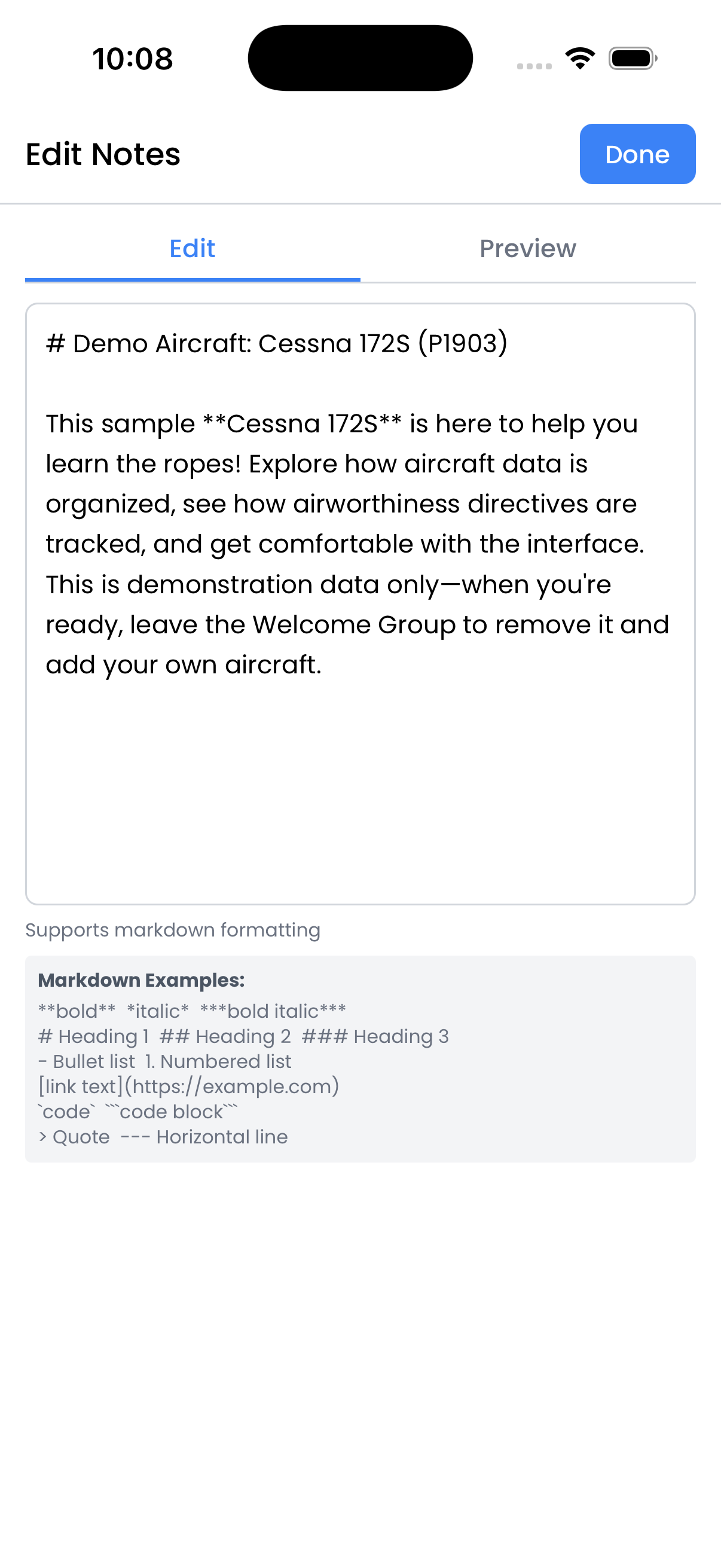
The markdown editor in Logbook has two tabs:
- Edit - Type your markdown text here. You'll see the raw formatting characters.
- Preview - See how your formatted text will look when displayed.
Switch between tabs to check your formatting as you write.
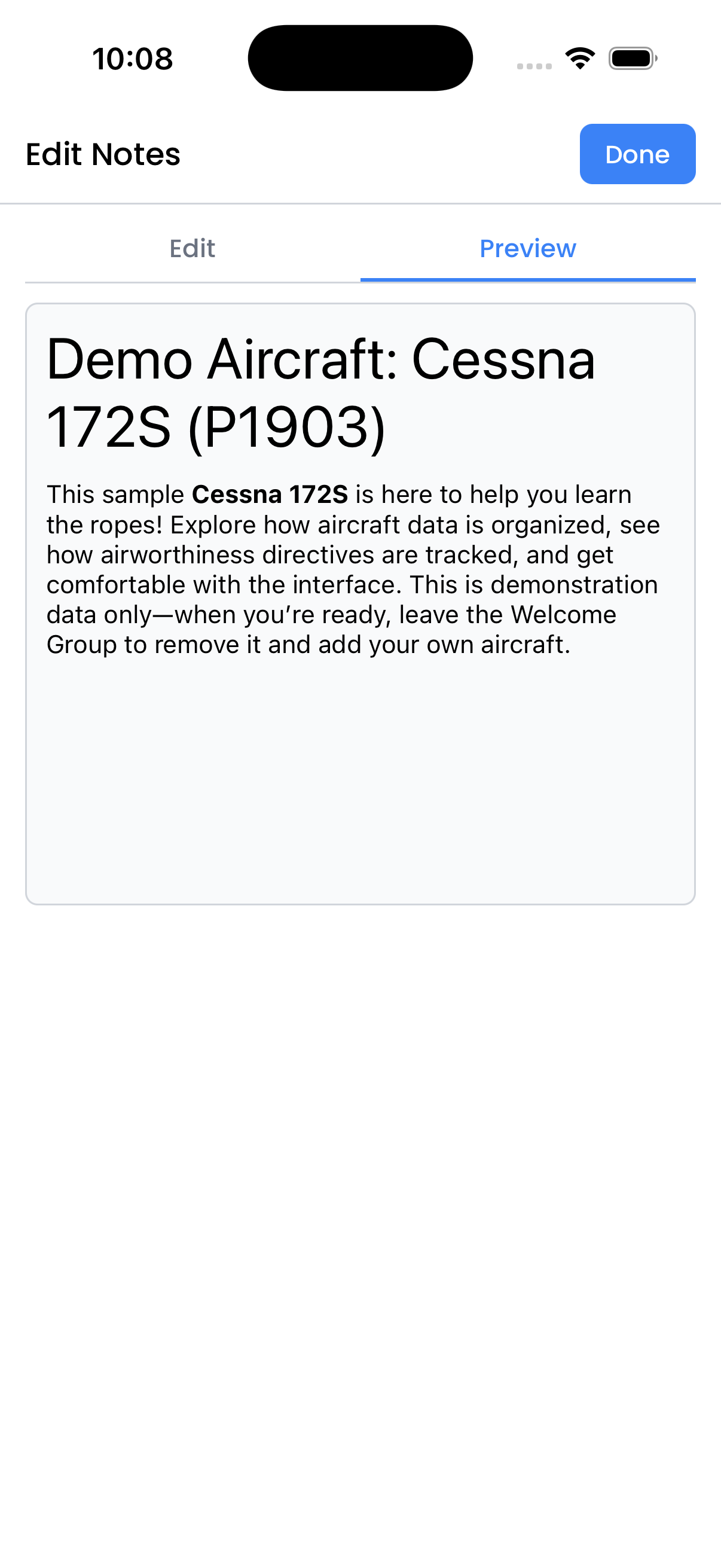
Preview tab shows your formatted text
Text Formatting
| What You Type | What You Get |
|---|---|
**bold text** |
bold text |
*italic text* |
italic text |
***bold and italic*** |
bold and italic |
~~strikethrough~~ |
Headings
Use hash symbols (#) to create headings. More hashes = smaller heading:
| What You Type | Result |
|---|---|
# Heading 1 |
Largest heading |
## Heading 2 |
Second largest |
### Heading 3 |
Third largest |
#### Heading 4 |
Fourth largest |
Tip: Always put a space after the # symbols.
Lists
Bullet Lists:
Use a dash (-) or asterisk (*) followed by a space:
- First item
- Second item
- Third item
Result:
- First item
- Second item
- Third item
Numbered Lists:
Use numbers followed by a period and space:
1. First step
2. Second step
3. Third step
Result:
- First step
- Second step
- Third step
Nested Lists:
Indent with spaces to create sub-items:
- Main item
  - Sub-item
  - Another sub-item
- Another main item
Links
Create clickable links using brackets and parentheses:
| What You Type | What You Get |
|---|---|
[FAA Website](https://faa.gov) |
FAA Website |
[Service Bulletin](https://example.com/sb123) |
Service Bulletin |
The text in brackets becomes the clickable link text, and the URL in parentheses is where it links to.
Code and Technical Text
Inline Code:
Wrap text in backticks for inline code or part numbers:
| What You Type | What You Get |
|---|---|
`P/N 12345-678` |
P/N 12345-678 |
`AD 2024-01-15` |
AD 2024-01-15 |
Code Blocks:
Use triple backticks for multi-line code or specifications:
```
Torque Specifications:
- Prop bolts: 85-95 in-lbs
- Spinner: 25-30 in-lbs
- Back plate: 50-55 in-lbs
```
Quotes and Notes
Use the greater-than symbol (>) to create blockquotes:
> Important: Check oil level before each flight.
Result:
Important: Check oil level before each flight.
Great for highlighting important notes, warnings, or quoting manufacturer instructions.
Horizontal Lines (Separators)
Create a horizontal line to separate sections using three dashes:
Section 1 content here

---

Section 2 content here
This creates a visual break between different parts of your notes.
Common Use Cases in Logbook
Aircraft Notes:
# N12345 Notes

## Known Issues
- Minor oil leak at **#3 cylinder** - monitoring
- Autopilot trim needs adjustment

## Recent History
This aircraft was purchased in 2020 and has been
well maintained. See [previous owner records](link).
Maintenance Entry Description:
## Annual Inspection - 2024

### Discrepancies Found
1. Left brake pad worn - **replaced**
2. ELT battery expired - **replaced**
3. Vacuum filter dirty - **cleaned**

### Parts Used
- `P/N 066-01900` - Brake pads (2)
- `P/N 452-0133` - ELT battery

> Aircraft returned to service per 14 CFR 43.11
AD Compliance Notes:
## AD 2024-01-15 Compliance

**Method:** Inspection per paragraph (g)(1)

**Findings:** No cracks found in inspection area.

**Next Due:** 500 hours or 12 months, whichever first
Quick Reference Card
| Format | Syntax |
|---|---|
| Bold | **text** |
| Italic | *text* |
| Heading 1 | # Heading |
| Heading 2 | ## Heading |
| Heading 3 | ### Heading |
| Bullet list | - item |
| Numbered list | 1. item |
| Link | [text](url) |
| Inline code | `code` |
| Quote | > quote |
| Horizontal line | --- |