Aircraft Documents
Store and organize all documents related to your aircraft. Upload PDFs, images, and other files organized by category for easy access and compliance tracking.
Document List
The main view shows all uploaded documents:
- Category tabs - Filter by category (All, Airworthiness, Insurance, etc.)
- Document cards - Show title, category tag, and file size
- Download icon - Tap to download the document
- Delete icon - Red trash icon to remove the document
Tap any document card to open it in the viewer.
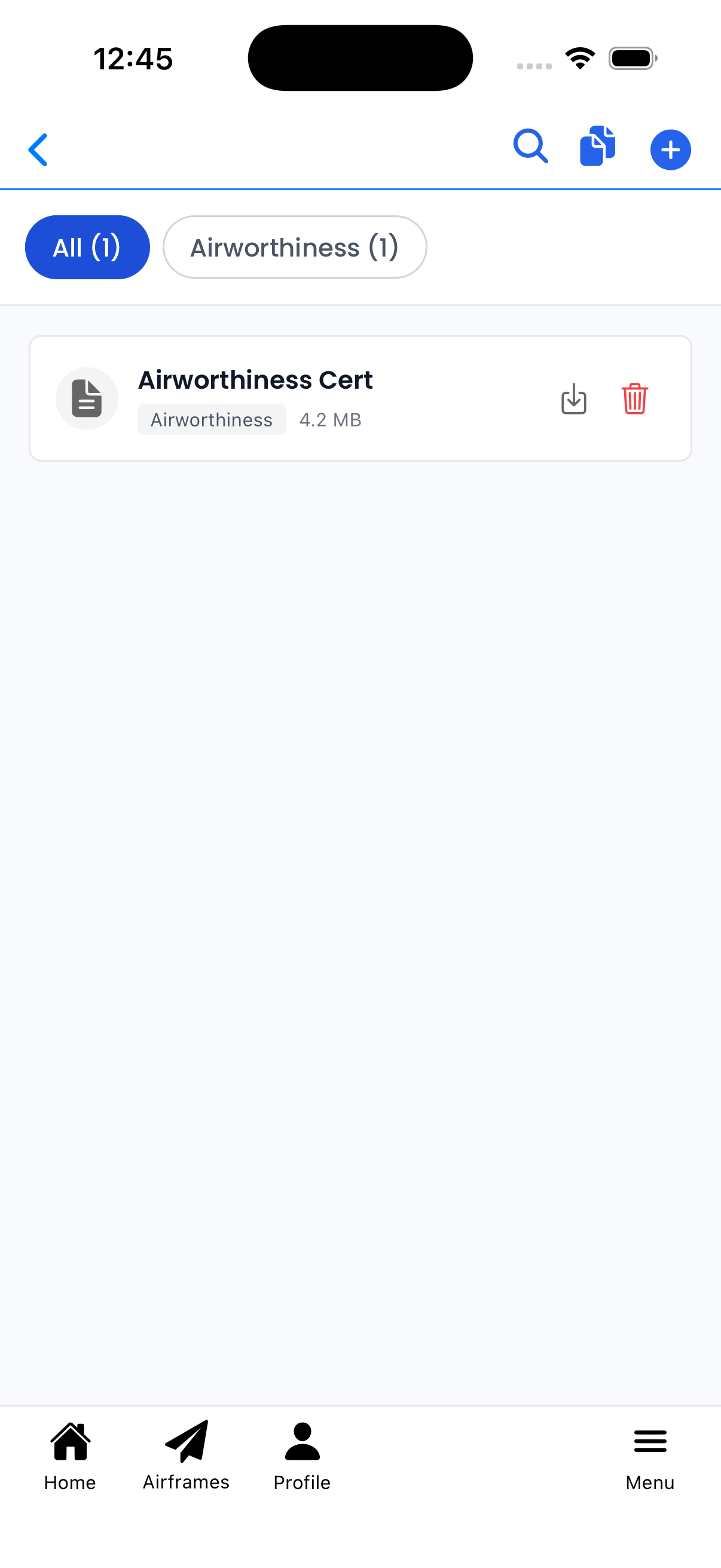
Documents organized by category with download and delete options
Upload Document
Tap the + button to upload a single document:
- Category (required) - Select the document type from the dropdown
- File (required) - Tap to select a file (PDF, images, Word, Text - max 50MB)
- Title (optional) - Give the document a custom name
- Description (optional) - Add notes about the document
Tap Upload to save the document.
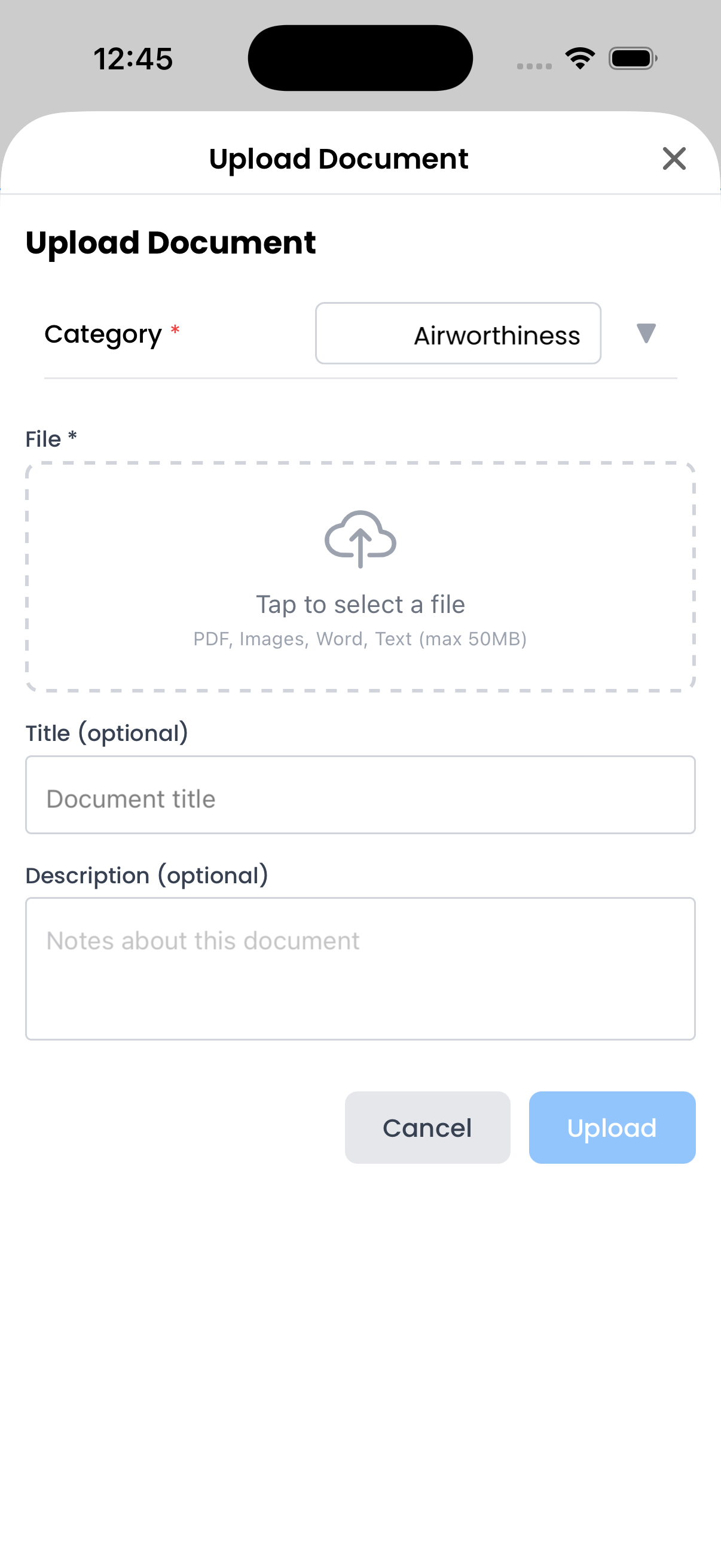
Upload form with category selector and file picker
Document Categories
Documents are organized into the following categories:
- 8130-3 Form - FAA Airworthiness Approval Tags
- AD Compliance - Airworthiness Directive compliance records
- Airworthiness - Airworthiness certificates
- Equipment Docs - Avionics and equipment documentation
- Form 337 - Major repairs and alterations
- Inspection Reports - Annual, 100-hour, and other inspections
- Insurance - Insurance policies and certificates
- Logbook Pages - Scanned maintenance logbook pages
- Maintenance Records - General maintenance documentation
- Other - Miscellaneous documents
- Photos - Aircraft photos
- POH/AFM - Pilot's Operating Handbook / Aircraft Flight Manual
- Registration - FAA registration documents
- STC - Supplemental Type Certificates
- Weight & Balance - W&B reports and calculations
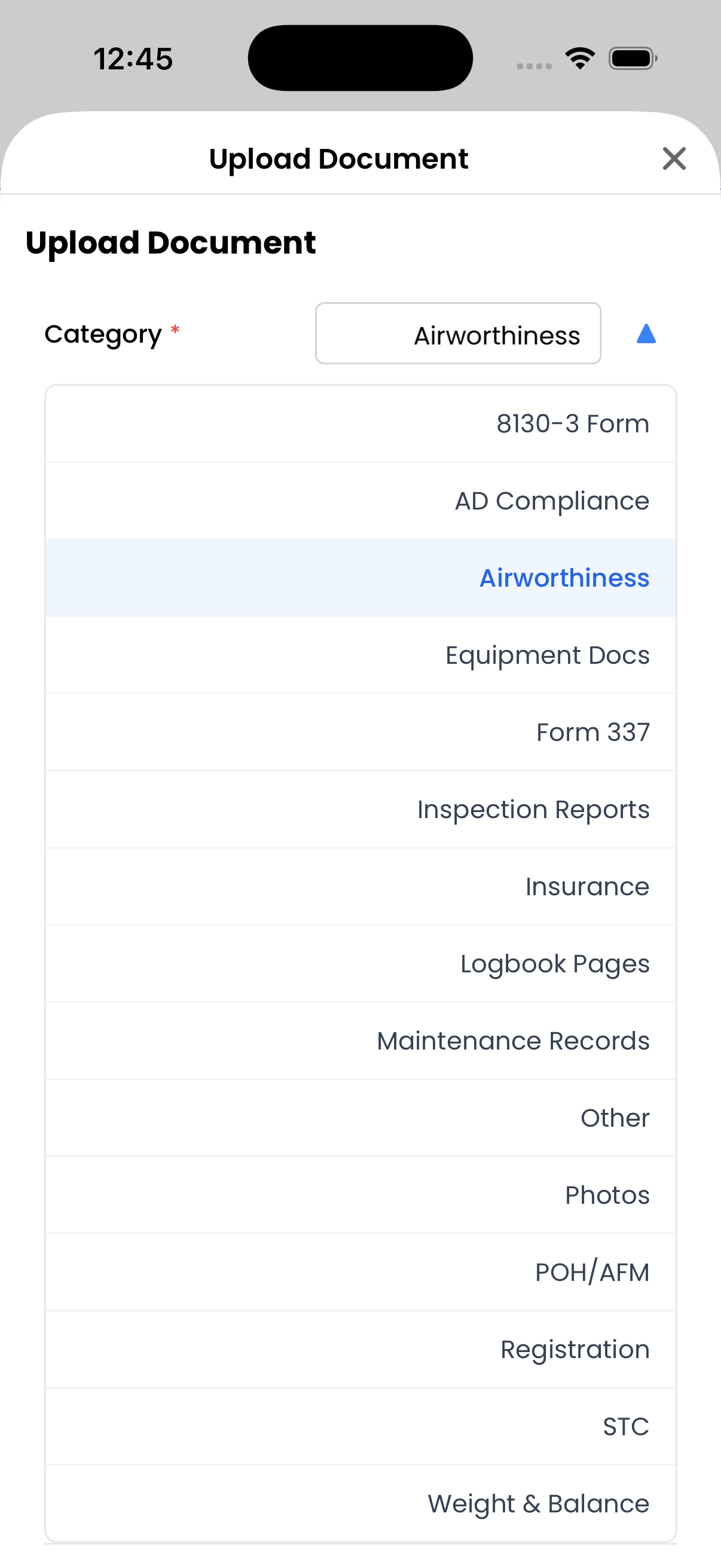
All available document categories
Bulk Upload
Tap the documents icon in the header to upload multiple files at once:
- Tap the upload area to select multiple files
- Supported formats: PDF, Images, Word, Text (max 50MB each)
- All files will be uploaded without individual metadata
Tap Upload to save all selected files.
Tip: Use bulk upload when importing many scanned logbook pages, then organize them by category later.

Select multiple files for batch upload
Document Viewer
Tap any document to open it in the viewer:
- Page indicator - Shows current page (e.g., "1 of 5")
- Pinch to zoom - Zoom in on document details
- Swipe - Navigate between pages
- Share/Download - Save or share the document
The viewer supports PDFs and images with full-screen viewing.
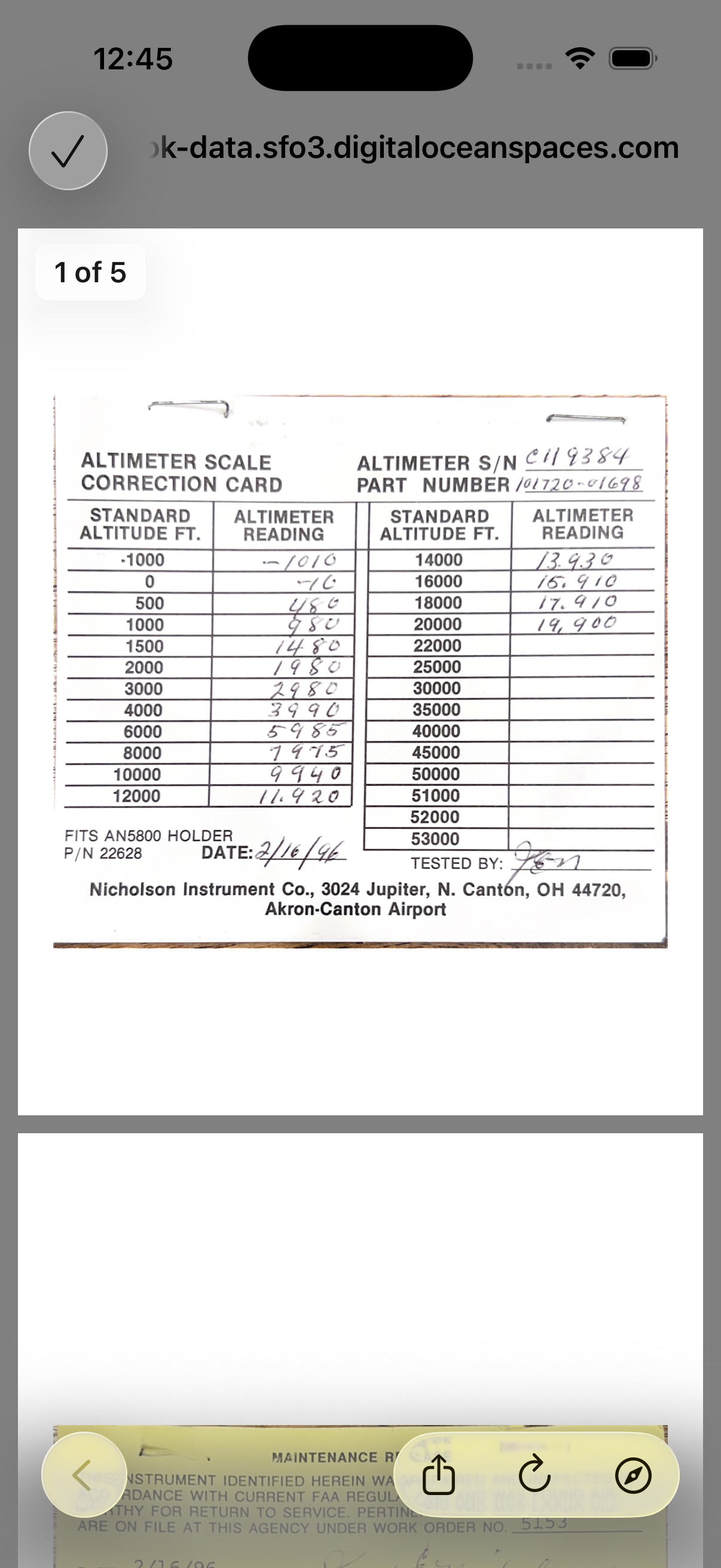
Full-screen document viewer with page navigation
Deleting Documents
To delete a document:
- Tap the red trash icon on the document card
- Confirm by tapping Delete in the dialog
Warning: Deleted documents cannot be recovered. Make sure you have a backup if needed.
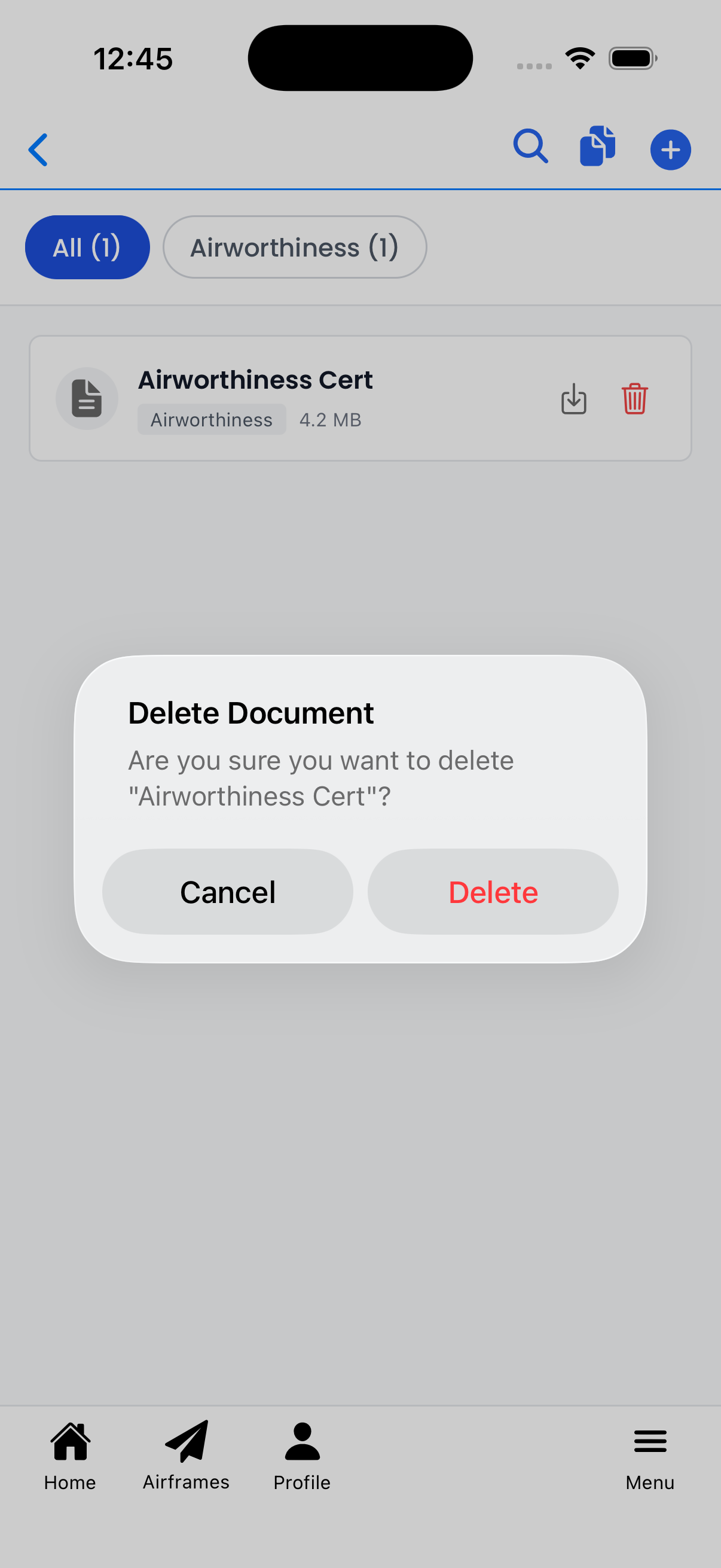
Confirm before permanently deleting a document