Airframe Type Library
Browse and create airframe types that define aircraft characteristics like designator, manufacturer, model, engine count, and performance attributes. Select an existing type or create a new one for your aircraft.
Selecting an Airframe Type
The type picker appears when you tap Airframe Type in Aircraft Setup:
- Search bar - Search by designator (e.g., "C172", "PA28")
- Type cards - Show designator, model, category, class, and engine count
- Verified badge - Blue "Verified" tag indicates types verified by Project 1903 administrators
- Create New Type - Blue button at bottom to add a custom type
Tap any type to select it for your aircraft.
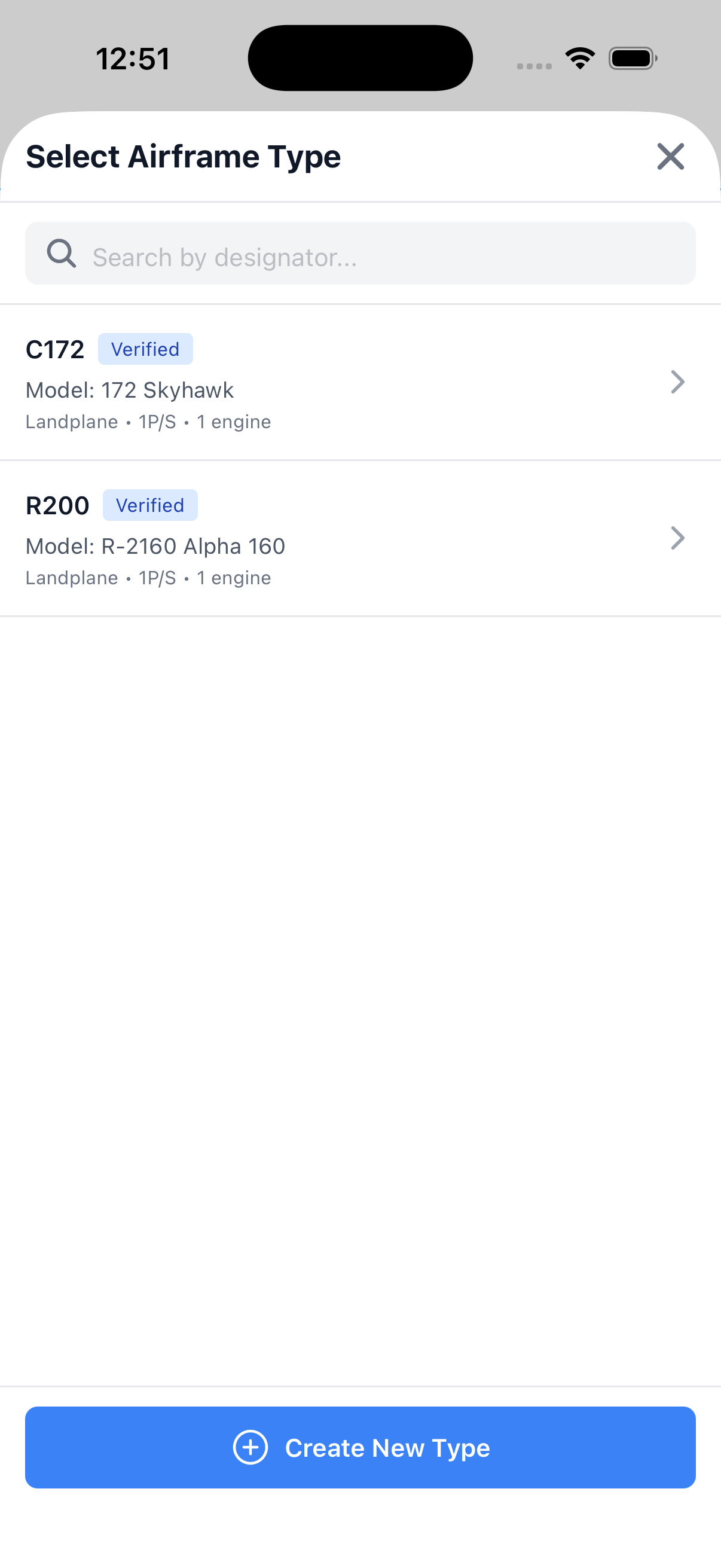
Choose from verified types or create a new one
Creating a New Type
Tap Create New Type to open the editor:
- Search FAA Type Database - Expand to search FAA records and auto-fill fields
- Designator (required) - ICAO type designator (e.g., C172, PA28)
- Manufacturer - Select from the manufacturer list
- Model - Specific model name (e.g., "Skyhawk", "Cherokee")
- Category - Airplane, Helicopter, etc.
- Class - Single-Engine Land, Multi-Engine Sea, etc.
Tip: Use the FAA search to auto-populate most fields from official FAA records.
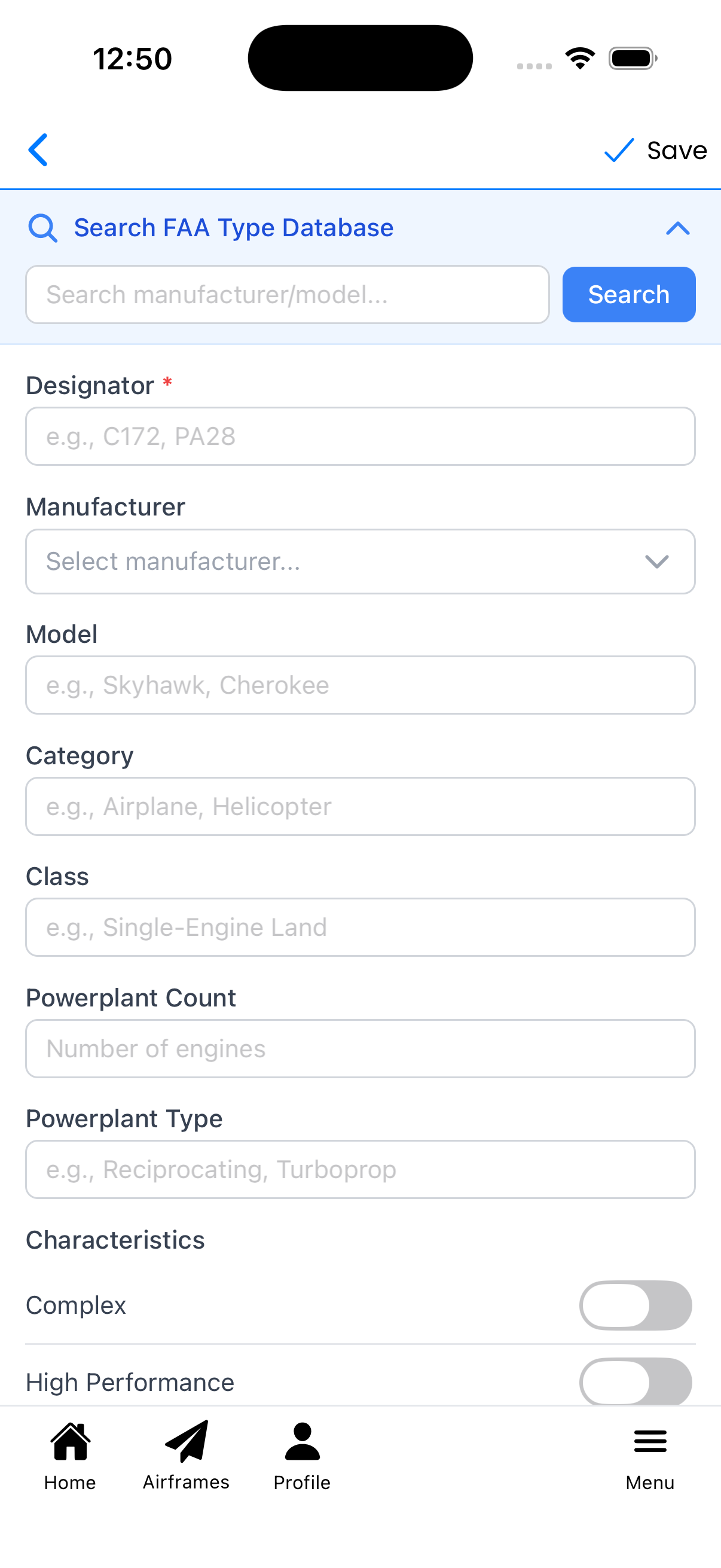
Create new type with FAA database search
FAA Database Search
The FAA search helps you find and auto-fill type information:
- Expand Search FAA Type Database
- Enter a search term (manufacturer name, model, or designator)
- Tap Search to query the FAA database
- Results show designator, manufacturer/model, and engine details
- Tap a result to auto-populate all form fields
Example: Searching "C152" returns variants like C152 Cessna, C152 Aviones Colombia, and C152 Aerobat.

Search results with multiple C152 variants
Type Details
After selecting from FAA search or filling manually, you'll see:
- Designator - Required field (e.g., "C152")
- Manufacturer - Dropdown selection (e.g., "CESSNA")
- Model - Specific model name (e.g., "152")
- Category - Aircraft category (e.g., "Landplane")
- Class - Aircraft class (e.g., "1P/S" for single-engine piston)
- Powerplant Count - Number of engines
- Powerplant Type - Engine type (e.g., "Propeller")
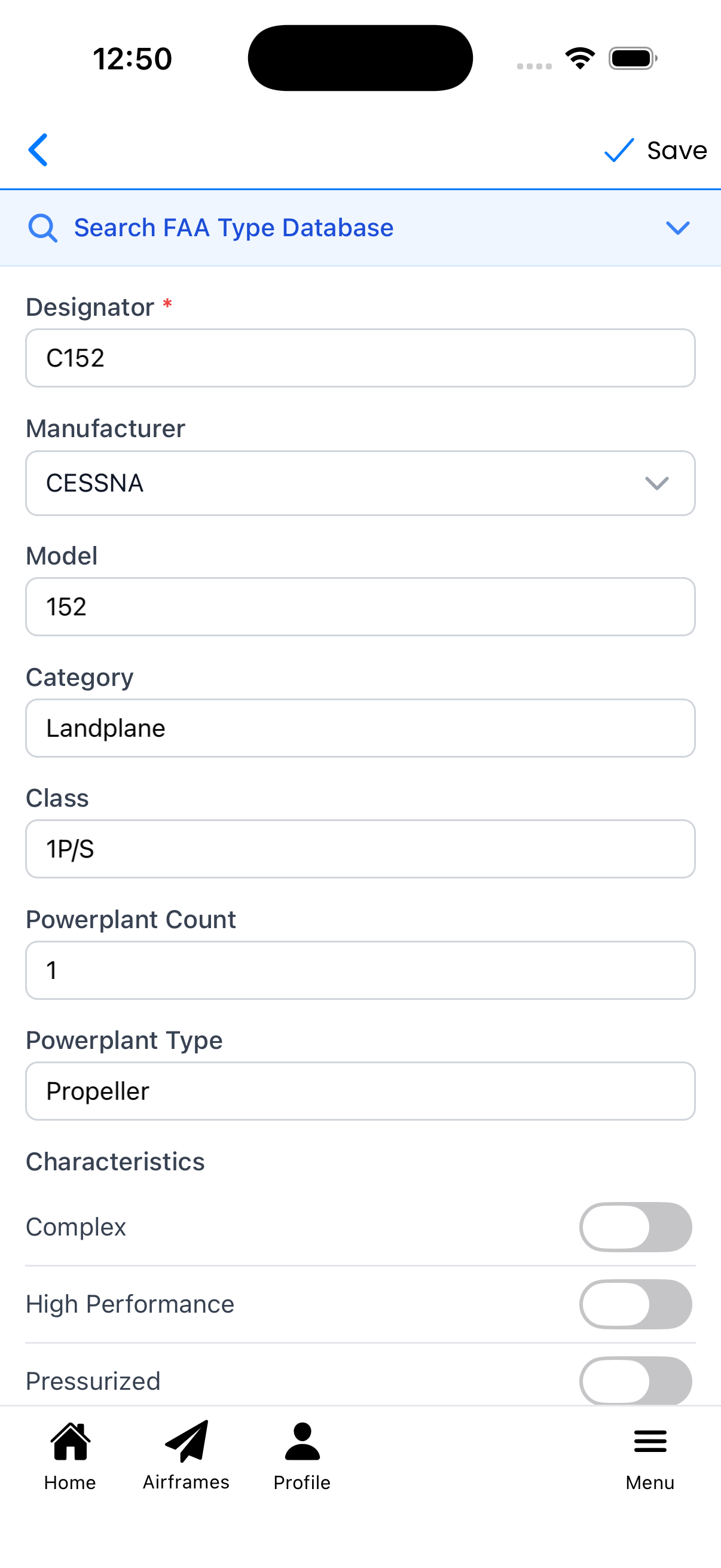
Type details auto-filled from FAA database
Aircraft Characteristics
Scroll down to set aircraft characteristic toggles:
- Complex - Retractable gear, flaps, and controllable-pitch propeller
- High Performance - More than 200 horsepower
- Pressurized - Pressurized cabin
- Tailwheel - Conventional (tailwheel) landing gear
These characteristics are used for pilot currency tracking and logging requirements.
You can also add Notes for any additional information about this type.
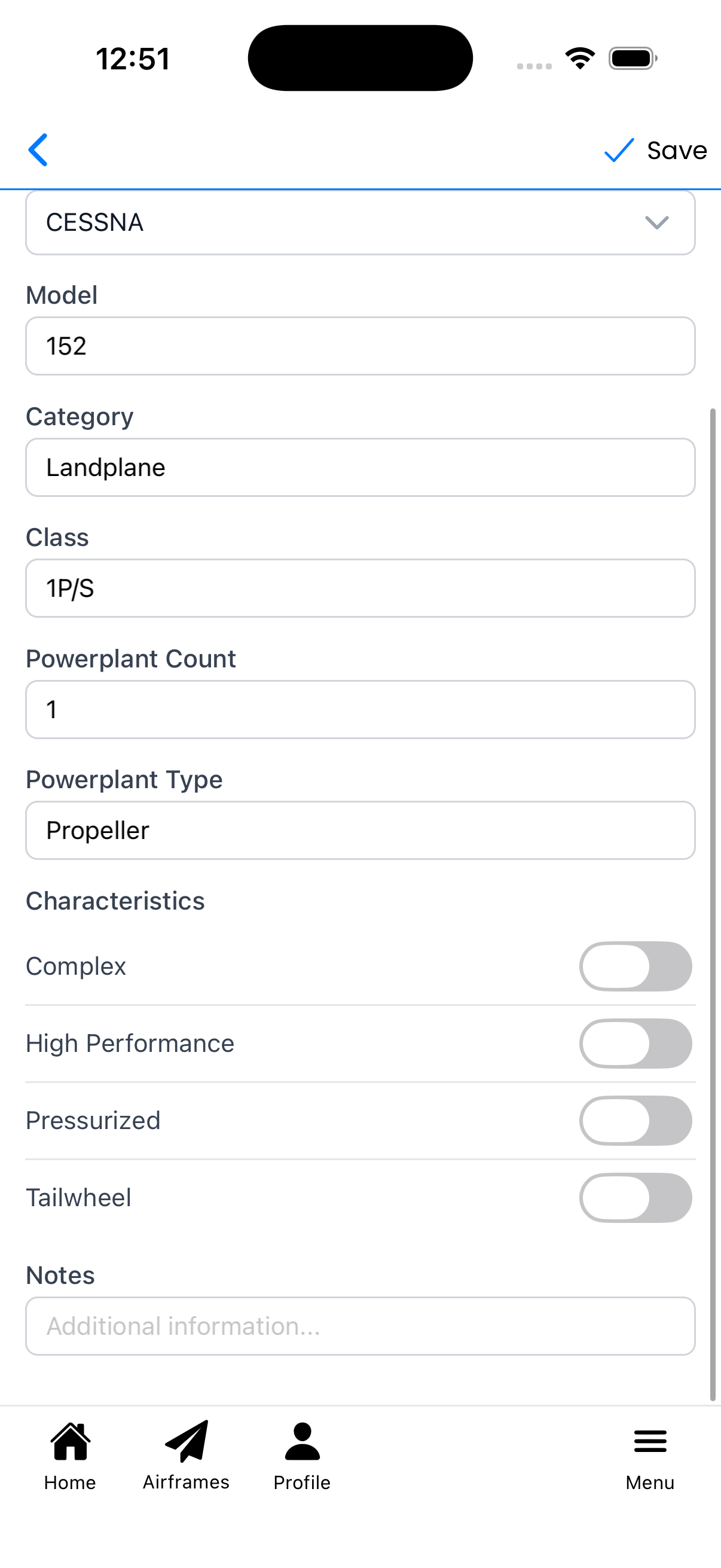
Toggle switches for aircraft characteristics