Engine Editor
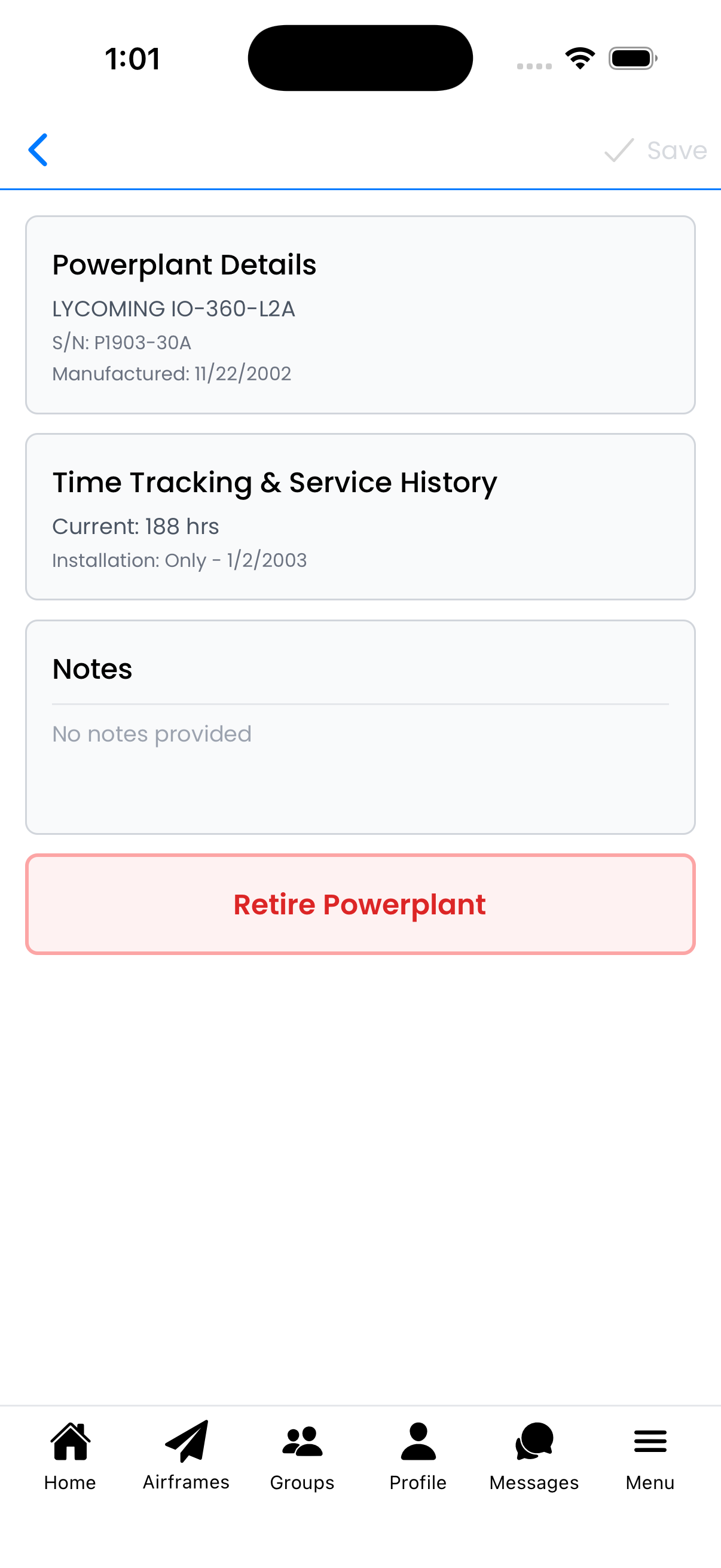
View and edit powerplant (engine) details including manufacturer information, time tracking, service history, and notes.
Powerplant Details
Tap the Powerplant Details section to edit engine specifications:
- Manufacturer - Engine manufacturer (e.g., LYCOMING, Continental)
- Powerplant Model - Specific model designation (e.g., IO-360-L2A)
- Serial Number - Unique engine serial number
- Date of Manufacture - When the engine was built
- Engine Type - Reciprocating, Turboprop, Jet, etc.
- Number of Cylinders - For reciprocating engines
- Specification - Additional specification details
- Gear Ratio - Direct drive or geared
Tap Done to save changes to this section.

Powerplant Details form
Time Tracking & Service History
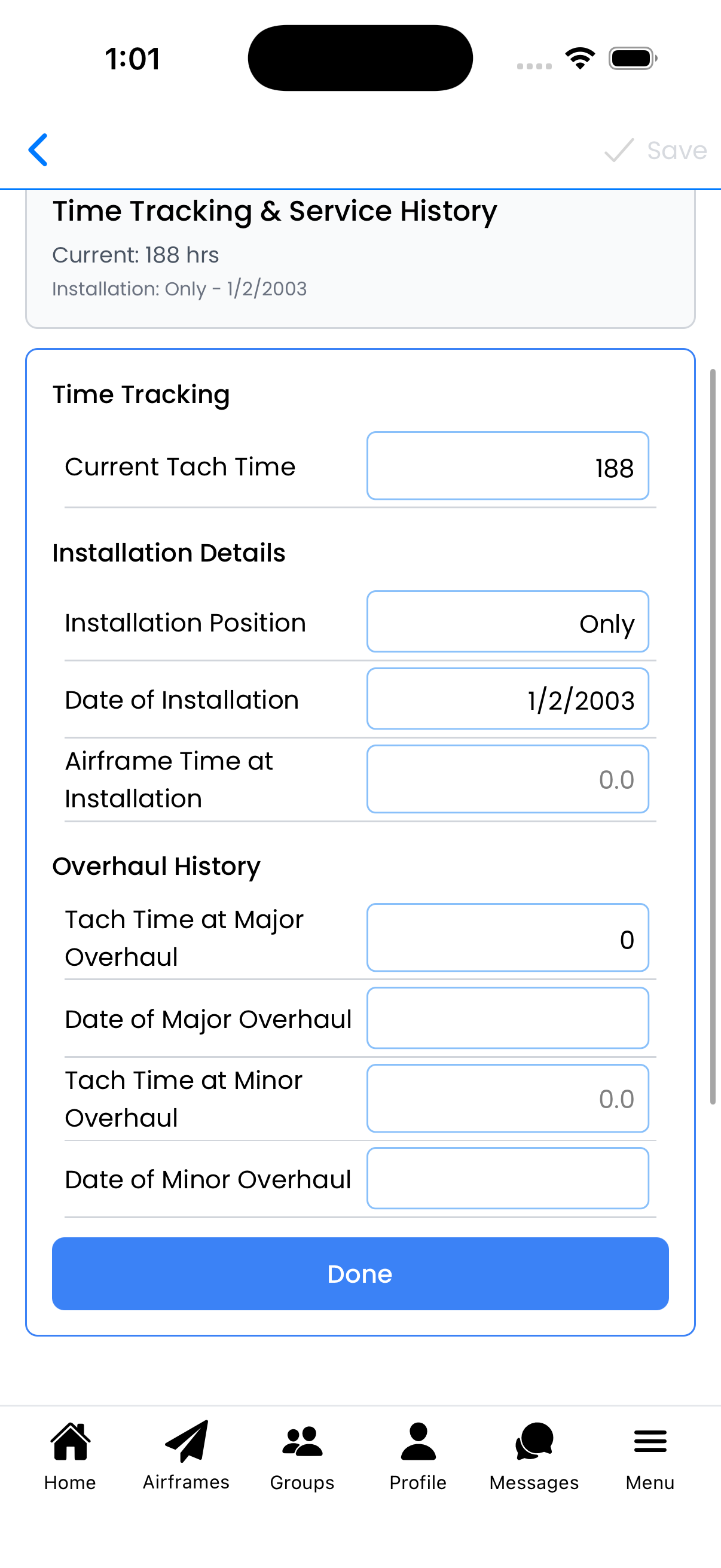
Track engine hours and maintenance history:
Time Tracking
- Current Tach Time - Total hours on the engine
Installation Details
- Installation Position - Position on multi-engine aircraft (Only, Left, Right, etc.)
- Date of Installation - When this engine was installed on this airframe
- Airframe Time at Installation - Airframe hours when engine was installed
Overhaul History
- Tach Time at Major Overhaul - Engine hours when last major overhaul was performed
- Date of Major Overhaul - When major overhaul occurred
- Tach Time at Minor Overhaul - Engine hours at last top overhaul
- Date of Minor Overhaul - When minor/top overhaul occurred
This information helps track time since overhaul (TSOH/TSMOH) for compliance and resale value.
Time Tracking & Service History
Notes
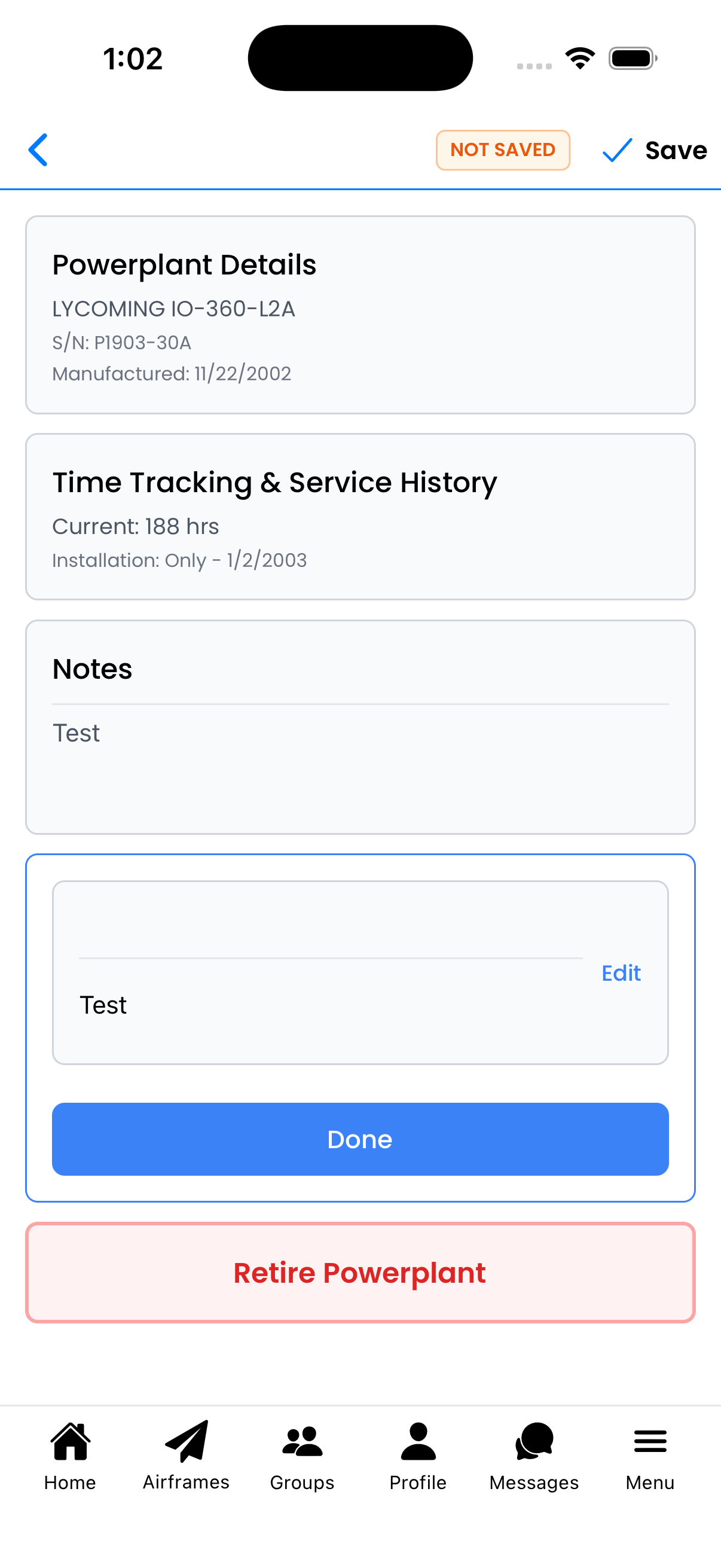
Add free-form notes about this powerplant:
- Tap the Notes section to expand it
- Tap Edit to modify the notes
- Enter any relevant information (previous owners, known issues, modifications, etc.)
- Tap Done to save
When you have unsaved changes, a NOT SAVED indicator appears at the top. Tap Save to save all changes.
Editing notes
Retire Powerplant
Use this option when an engine is removed from service:
- Tap Retire Powerplant (red button at bottom)
- Confirm by tapping Retire in the dialog
When to retire:
- Engine is removed and sold
- Engine is being replaced
- Engine has reached end of life
Warning: This removes the powerplant from your active powerplant list. This action cannot be undone.

Retire confirmation dialog