Why Engine Configuration Matters
Accurate engine data enables:
- TBO Tracking - Know when your engine is approaching recommended overhaul
- Maintenance Scheduling - Set oil changes and service intervals based on hours
- Resale Value - Accurate times are essential for aircraft valuation
- Compliance - Track mandatory inspections and ADs that apply to your engine
Adding a New Engine
Engines are typically added during the aircraft setup wizard. To add an engine to an existing aircraft:
- Go to Airframes and select your aircraft
- Tap the gear icon to open Aircraft Setup
- In the Powerplants section, tap Add Powerplant
- Enter the engine details (see fields below)
- Tap Save
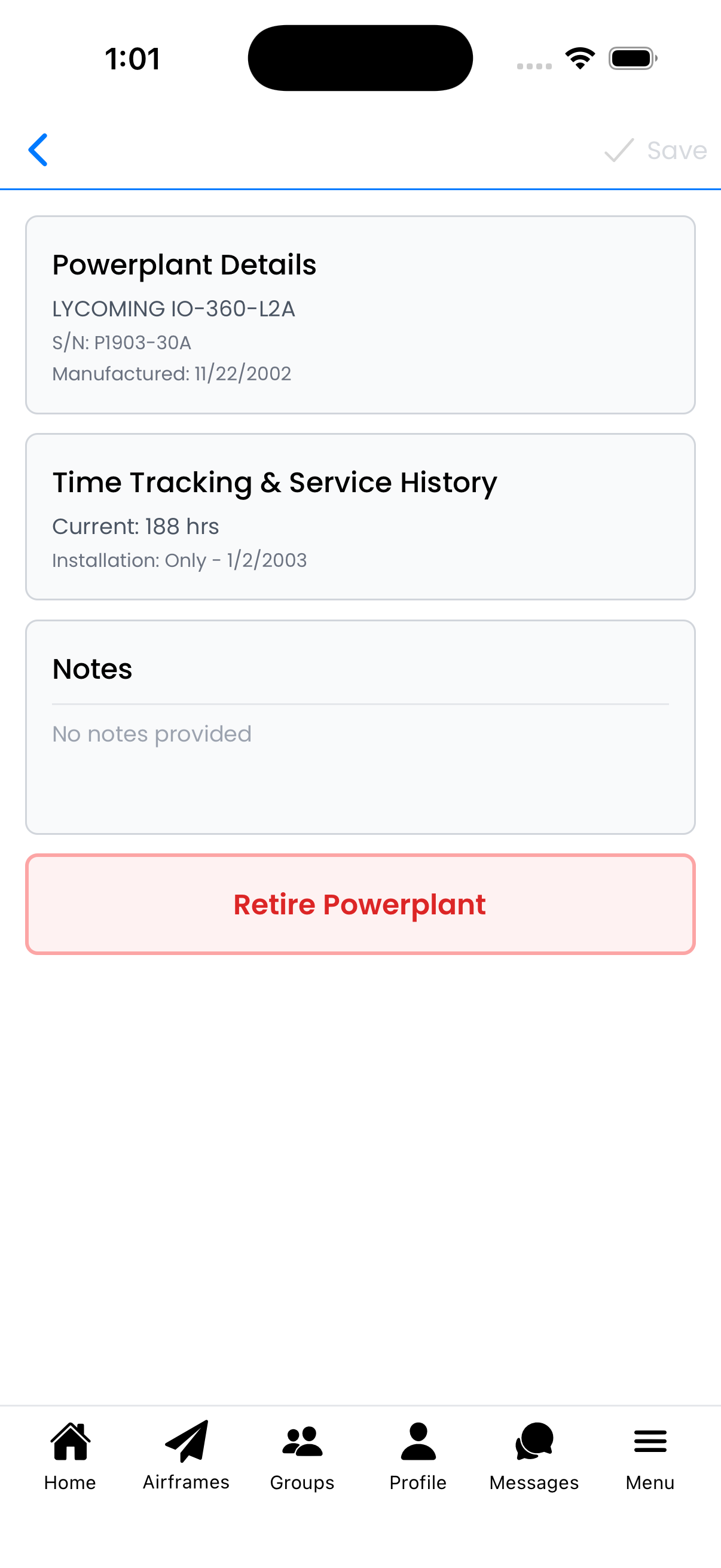
The Engine Editor shows all powerplant information in expandable sections
Engine Information Fields
Powerplant Details
Basic identification information:
- Manufacturer - Engine maker (e.g., LYCOMING, Continental, Rotax)
- Model - Specific model designation (e.g., IO-360-L2A, O-470-U)
- Serial Number - Unique identifier from the engine data plate
- Date of Manufacture - When the engine was built
- Engine Type - Reciprocating, Turboprop, Turbojet, etc.
- Number of Cylinders - For reciprocating engines (4, 6, etc.)

Powerplant Details section with manufacturer and model information
Time Tracking
Critical hours for maintenance scheduling:
- Current Tach Time - Total hours on the engine (updates when you log flights)
Installation Details
When and where the engine was installed:
- Installation Position - Only, Left, Right, Center (for multi-engine)
- Date of Installation - When installed on this airframe
- Airframe Time at Installation - Airframe hours when engine was installed
Overhaul History
Record major and minor overhaul information:
- Tach Time at Major Overhaul - Engine hours when major overhaul was performed
- Date of Major Overhaul - When the major overhaul occurred
- Tach Time at Minor Overhaul - Hours at last top overhaul (if applicable)
- Date of Minor Overhaul - When top overhaul occurred
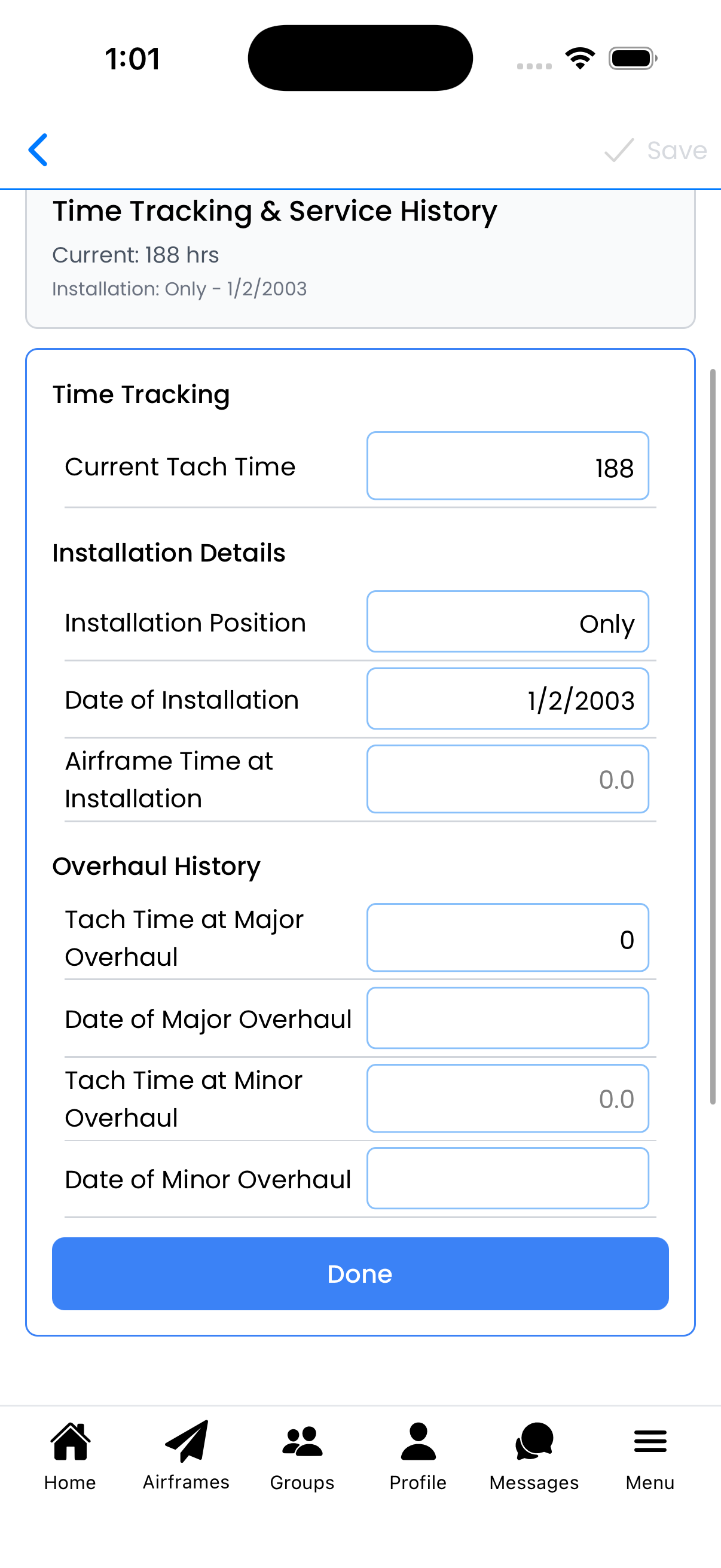
Time Tracking & Service History tracks installation and overhaul data
Multi-Engine Aircraft
For twins and multi-engine aircraft:
- Set the correct Number of Powerplants in the wizard (or Aircraft Setup)
- Configure each engine separately
- Use Installation Position to identify each engine:
- Left - Port engine
- Right - Starboard engine
- Center - For some tri-motor configurations
Flight logs will track hours for each engine independently.
Editing an Existing Engine
- Go to Aircraft Setup for your aircraft
- In the Powerplants section, tap the engine you want to edit
- Expand any section by tapping on it
- Make your changes
- Tap Done within each section, then Save at the top
Adding Notes
Use the Notes section to record important information:
- Previous ownership history
- Known issues or quirks
- STCs or modifications installed
- Service bulletins complied with
- Overhaul shop and warranty information
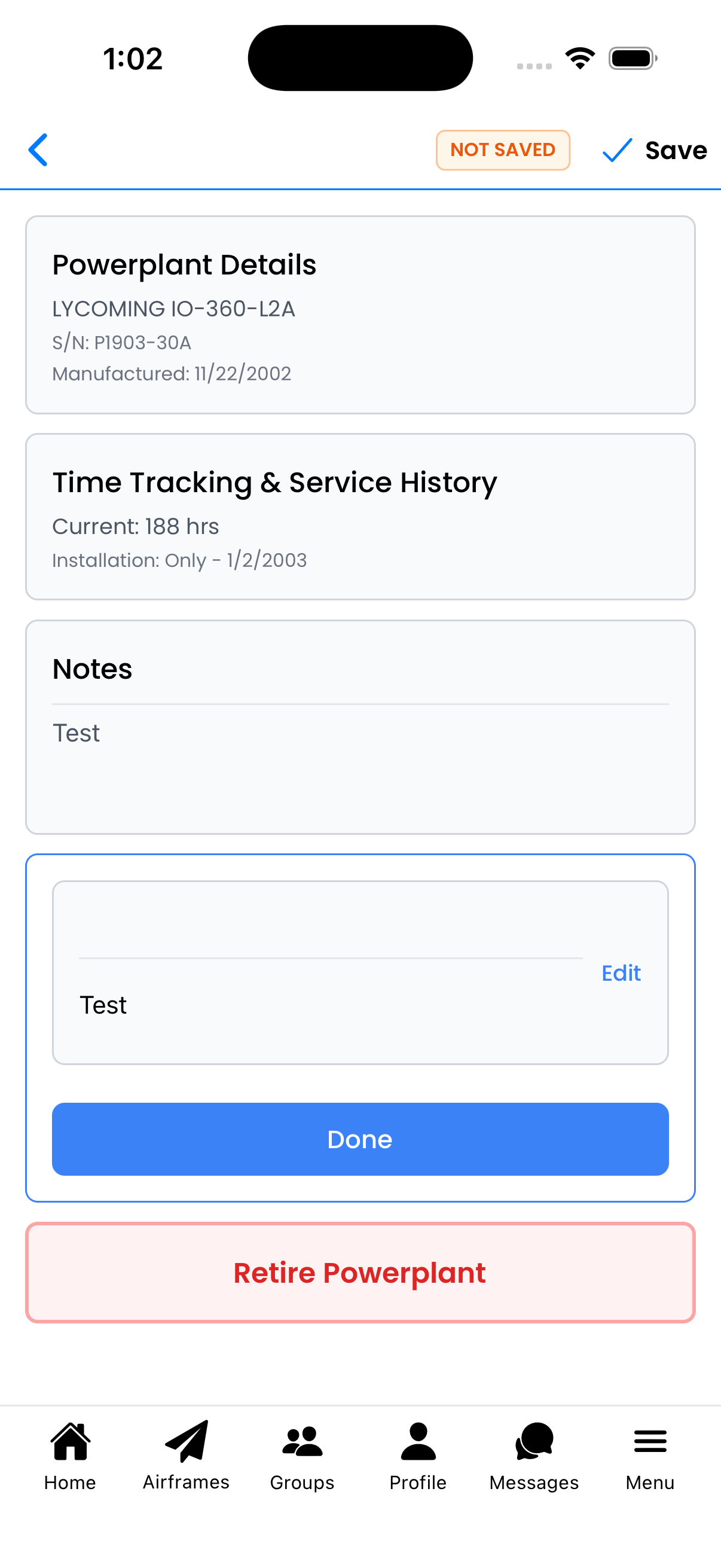
The Notes section stores free-form text about your engine
Retiring an Engine
When an engine is removed from service permanently:
- Open the Engine Editor for that powerplant
- Scroll to the bottom
- Tap Retire Powerplant (red button)
- Confirm the retirement in the dialog
Engine Data Sources
Where to find accurate engine information:
- Engine Data Plate - Manufacturer, model, serial number
- Engine Logbooks - Times, overhaul history, installation dates
- Last Annual Inspection - Current times as of inspection
- Type Certificate Data Sheet - Official specifications
- Overhaul Shop Records - Detailed overhaul information