Why Propeller Configuration Matters
Propeller tracking enables:
- Overhaul Planning - Most props require overhaul every 5-6 years or 2000 hours
- AD Compliance - Many propellers have recurring Airworthiness Directives
- Maintenance Scheduling - Track inspections and service intervals
- Resale Documentation - Accurate times are essential for valuation
Adding a Propeller
Propellers are typically added during the aircraft setup wizard (Step 3). To add one to an existing aircraft:
- Go to Airframes and select your aircraft
- Tap the gear icon to open Aircraft Setup
- In the Propellers section, tap Add Propeller
- Enter the propeller details
- Tap Save
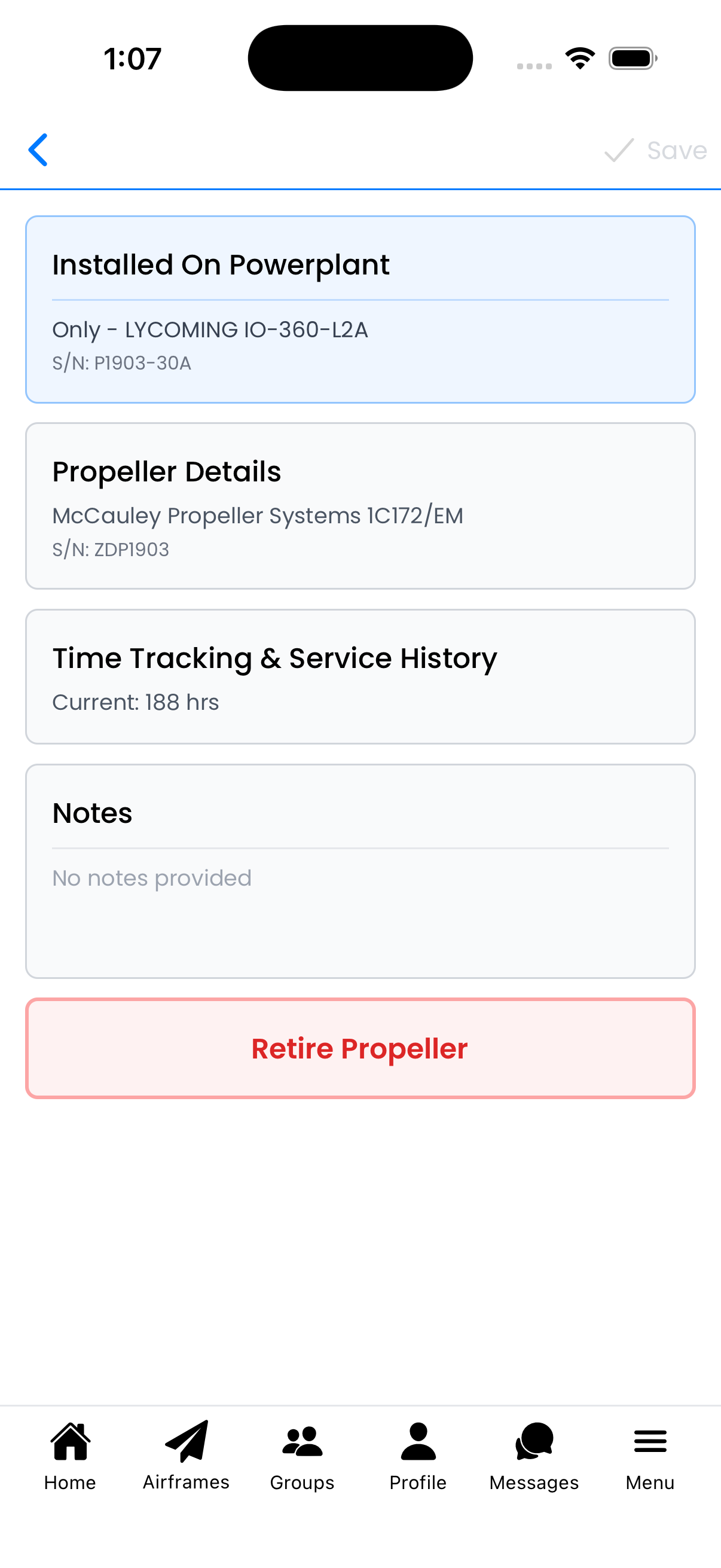
The Propeller Editor organizes information in expandable sections
Propeller Information Fields
Propeller Details
Basic identification information:
- Manufacturer - Prop maker (e.g., McCauley, Hartzell, MT, Sensenich)
- Model - Specific model designation
- Serial Number - Unique identifier from the hub or data plate
- Date of Manufacture - When the propeller was built
- Number of Blades - 2, 3, 4, etc.
- Propeller Type - Fixed Pitch, Constant Speed, Ground Adjustable
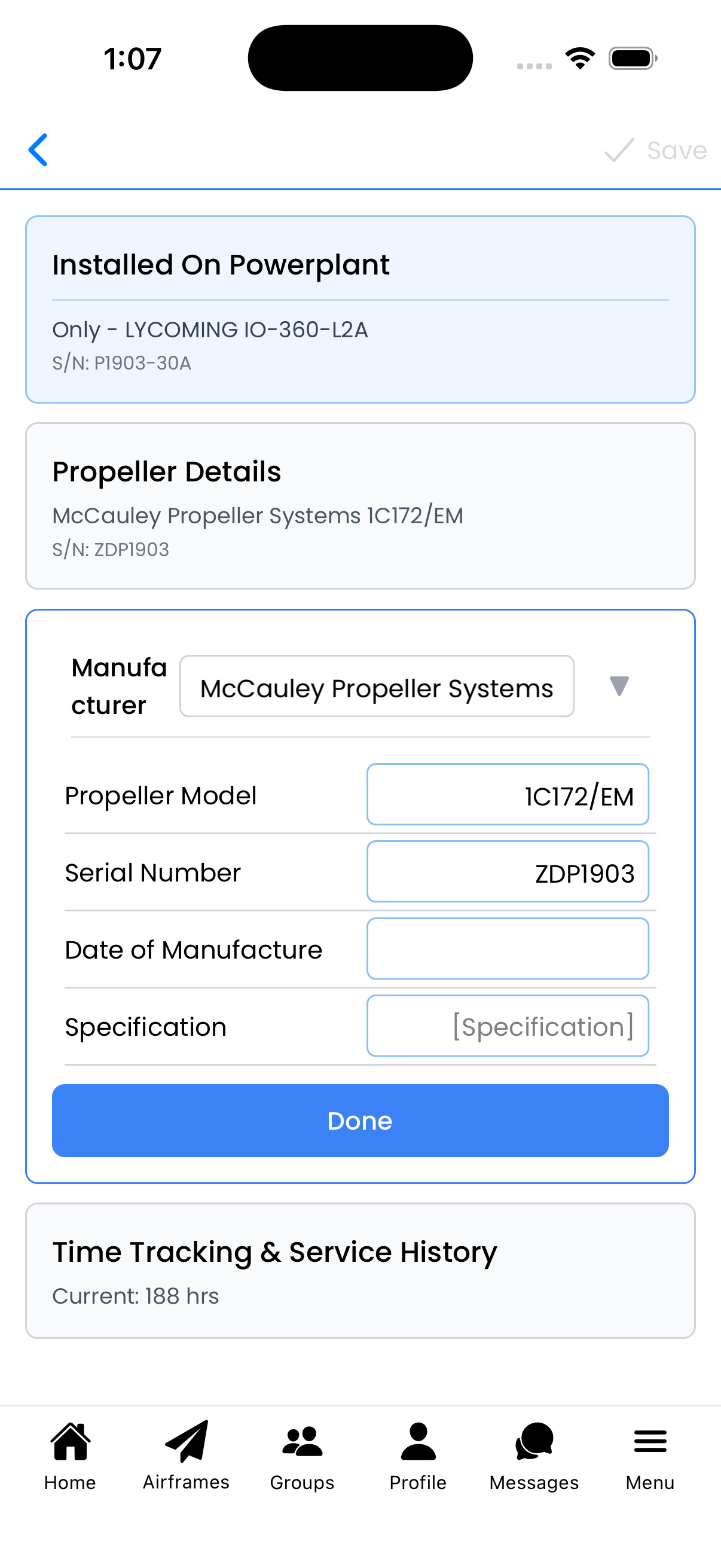
Propeller Details section with manufacturer and type information
Time Tracking
Hours for maintenance and overhaul scheduling:
- Current Tach Time - Total hours on the propeller (updates when you log flights)
Installation Details
- Date of Installation - When installed on this airframe
- Airframe Time at Installation - Airframe hours when propeller was installed
Overhaul History
Record overhaul and inspection information:
- Tach Time at Major Overhaul - Propeller hours when overhauled
- Date of Major Overhaul - When the overhaul occurred
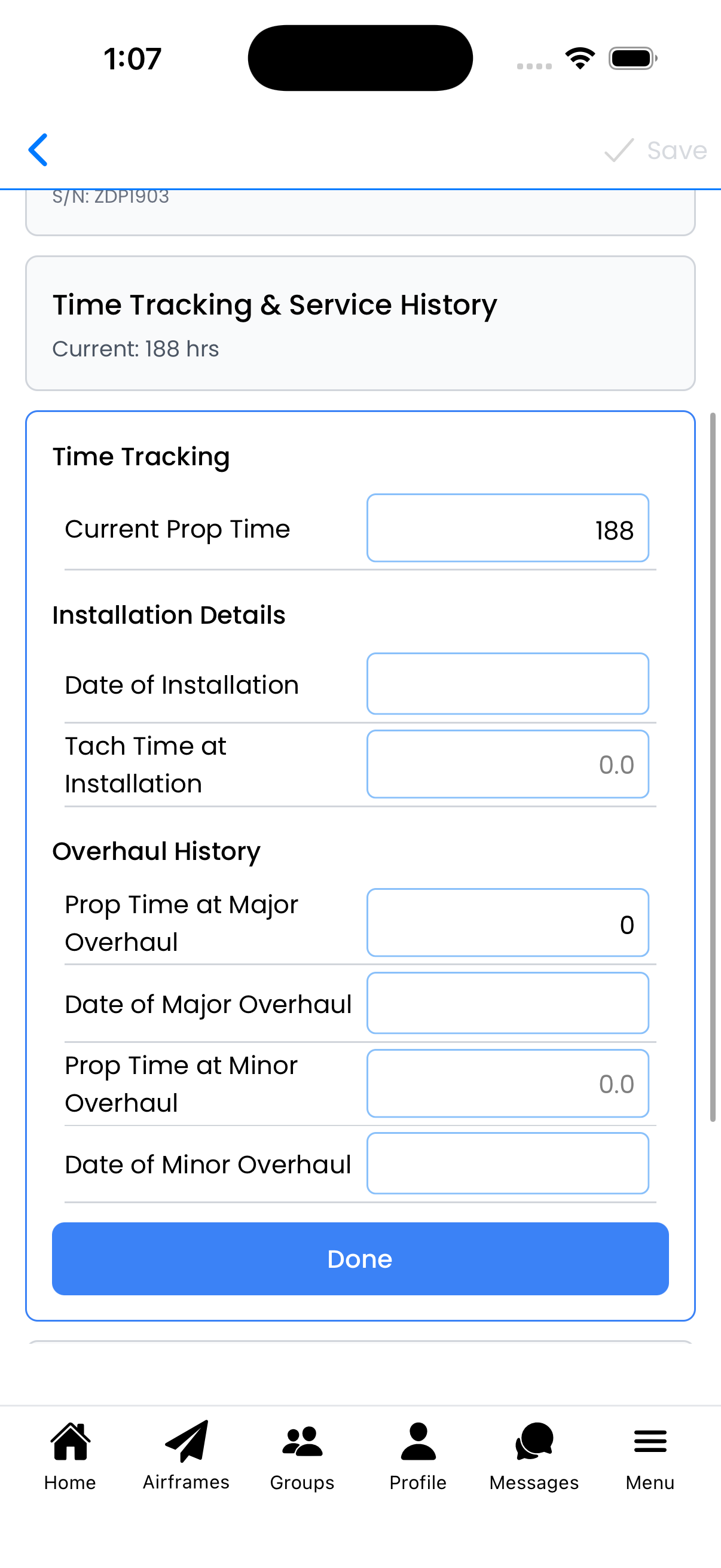
Time Tracking & Service History for the propeller
Propeller Types Explained
Fixed Pitch
Common on training aircraft (Cessna 150, 152, basic 172):
- No moving parts
- Simpler maintenance requirements
- May not require calendar-based overhauls
Constant Speed
Found on high-performance singles and twins:
- Uses a governor to maintain selected RPM
- Typically requires overhaul every 5-6 years or 2000 hours
- More ADs and service bulletins
- Requires governor maintenance as well
Ground Adjustable
Common on experimental and some ultralights:
- Pitch can be adjusted on the ground
- Maintenance requirements vary by manufacturer
Multi-Engine Propellers
For multi-engine aircraft with propellers:
- Each propeller is configured separately
- Track times independently for each prop
- Use notes to identify left vs right if not obvious from model numbers
Editing an Existing Propeller
- Go to Aircraft Setup for your aircraft
- In the Propellers section, tap the propeller you want to edit
- Expand any section by tapping on it
- Make your changes
- Tap Done within each section, then Save at the top
Adding Notes
Use the Notes section to record:
- Overhaul shop and contact information
- STC modifications (composite blades, de-ice boots, etc.)
- Service bulletins complied with
- Known issues or strike history
- Governor serial number and service history
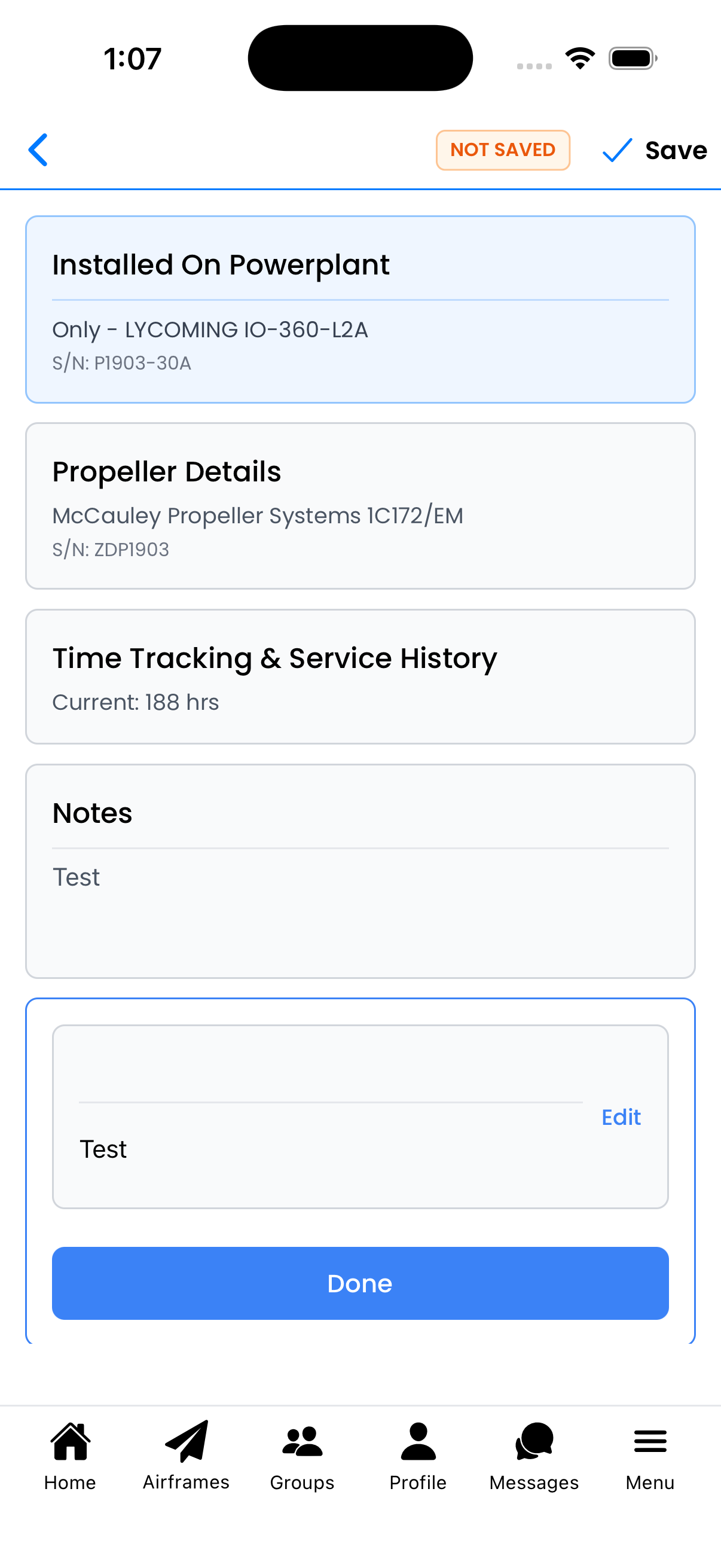
Use Notes to record important propeller history
Retiring a Propeller
When a propeller is removed from service permanently:
- Open the Propeller Editor
- Scroll to the bottom
- Tap Retire Propeller (red button)
- Confirm the retirement
Propeller Data Sources
Where to find accurate propeller information:
- Hub Data Plate - Manufacturer, model, serial number
- Propeller Logbook - Times and overhaul history
- Overhaul Records - Yellow tag with detailed work performed
- Type Certificate Data Sheet - Approved models for your aircraft
- Manufacturer Service Bulletins - Recommended inspections and intervals