Add Airworthiness Directive
Add Airworthiness Directives to your aircraft using AI-powered pre-matching, or search the FAA database of over 19,000 ADs. Review existing ADs and manage pre-matched suggestions.
Existing AD Types
The Existing AD Types section shows all ADs currently tracked for your aircraft:
- Green checkmarks - Indicate ADs already applied to your aircraft
- AD Number - FAA document number (e.g., "2011-10-09")
- Title - Brief description of the AD subject
- Description preview - Shows first few lines of the AD description
Tap any existing AD to view its full details in the FAA document viewer.
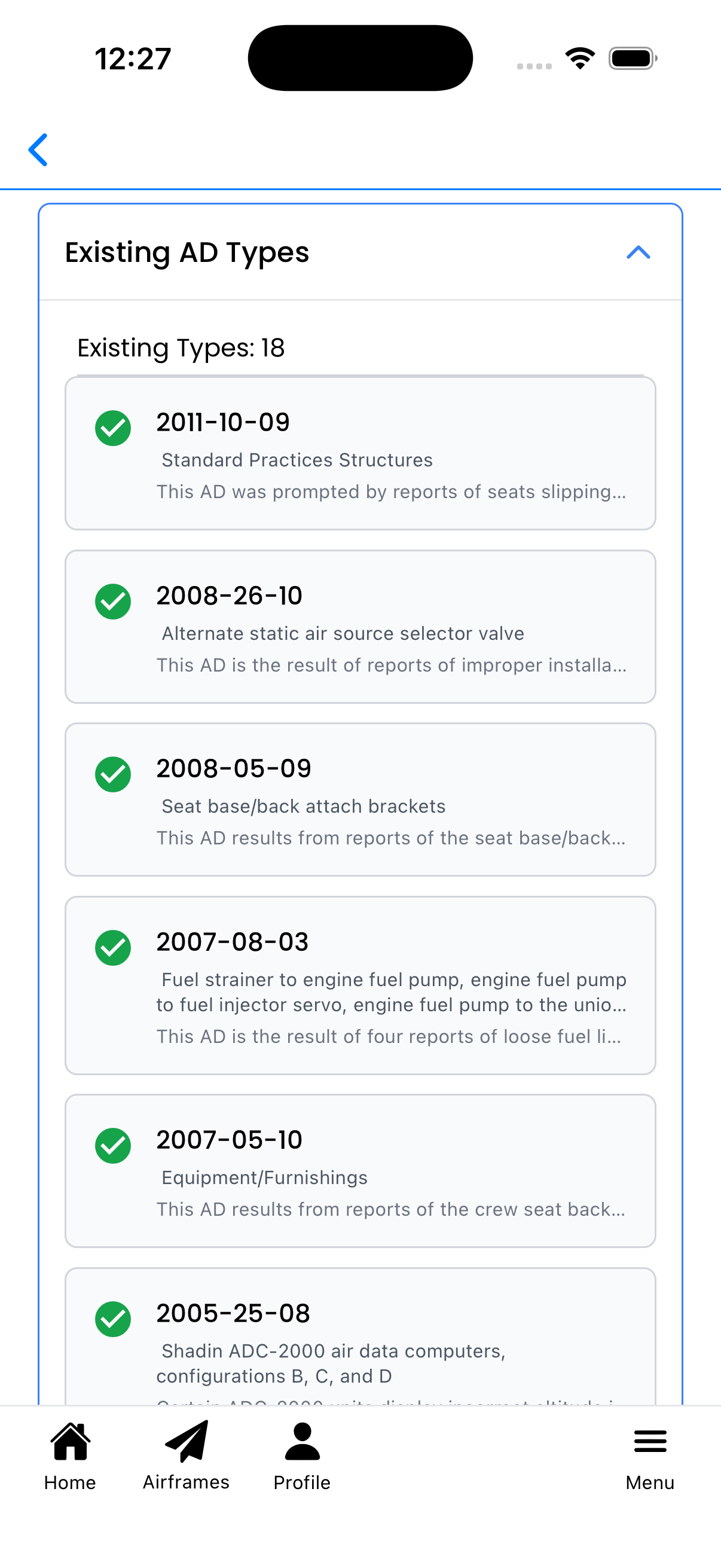
ADs already tracked for this aircraft
Pre-Matched ADs
The Pre-Matched ADs section shows AI-suggested ADs that may apply to your aircraft:
- Match confidence - Percentage showing how likely the AD applies (e.g., "100%")
- AI Analysis - Purple section with AI notes about applicability
- Serial numbers - Shows affected serial number ranges when available
- Status indicator - Icon on the left shows current review status:
- 📧 Mail icon (blue) - Unread
- 📝 Review icon (yellow) - In Review
- ✅ Checkmark (green) - Applied
- ⊘ Cancel icon (gray) - Not Applicable
- 🕐 Clock icon (orange) - Follow Up Later
- 🗑️ Delete icon (red) - Dismissed
- Action buttons - Row of colored buttons at the bottom to quickly set the AD's status
Tap the main card area to view full AD details in the viewer modal.
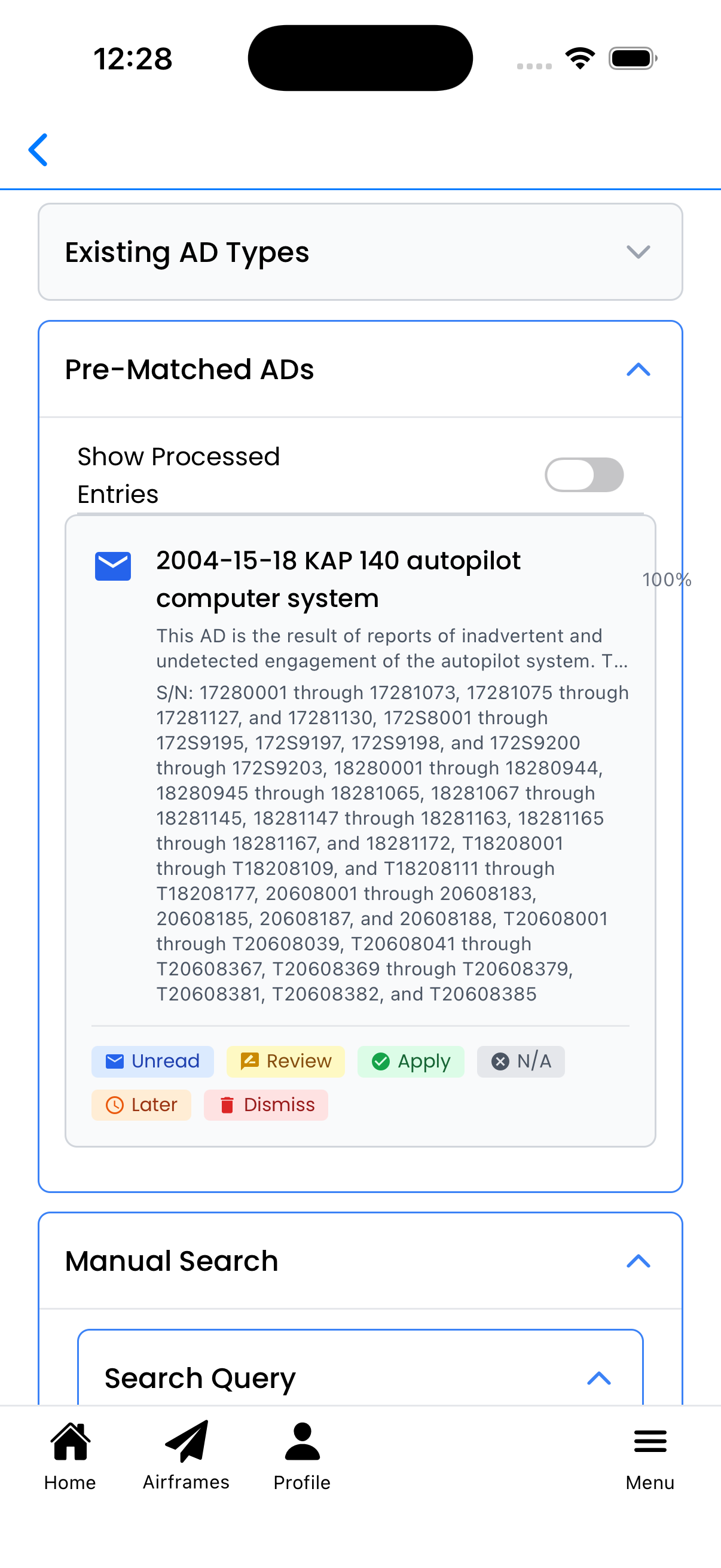
AI-suggested ADs with confidence scores and action buttons
AD Viewer
Tap any AD to open the viewer with full details:
- Applicability - Make, model, and type information
- Summary - Overview of the AD requirements
- Regulatory Text (Preview) - The actual compliance text
- Related ADs - Links to superseded or related ADs
- Show Full Document - View the complete FAA PDF
- View Online - Open on FAA website
- Apply to Aircraft - Green button to add this AD to your aircraft
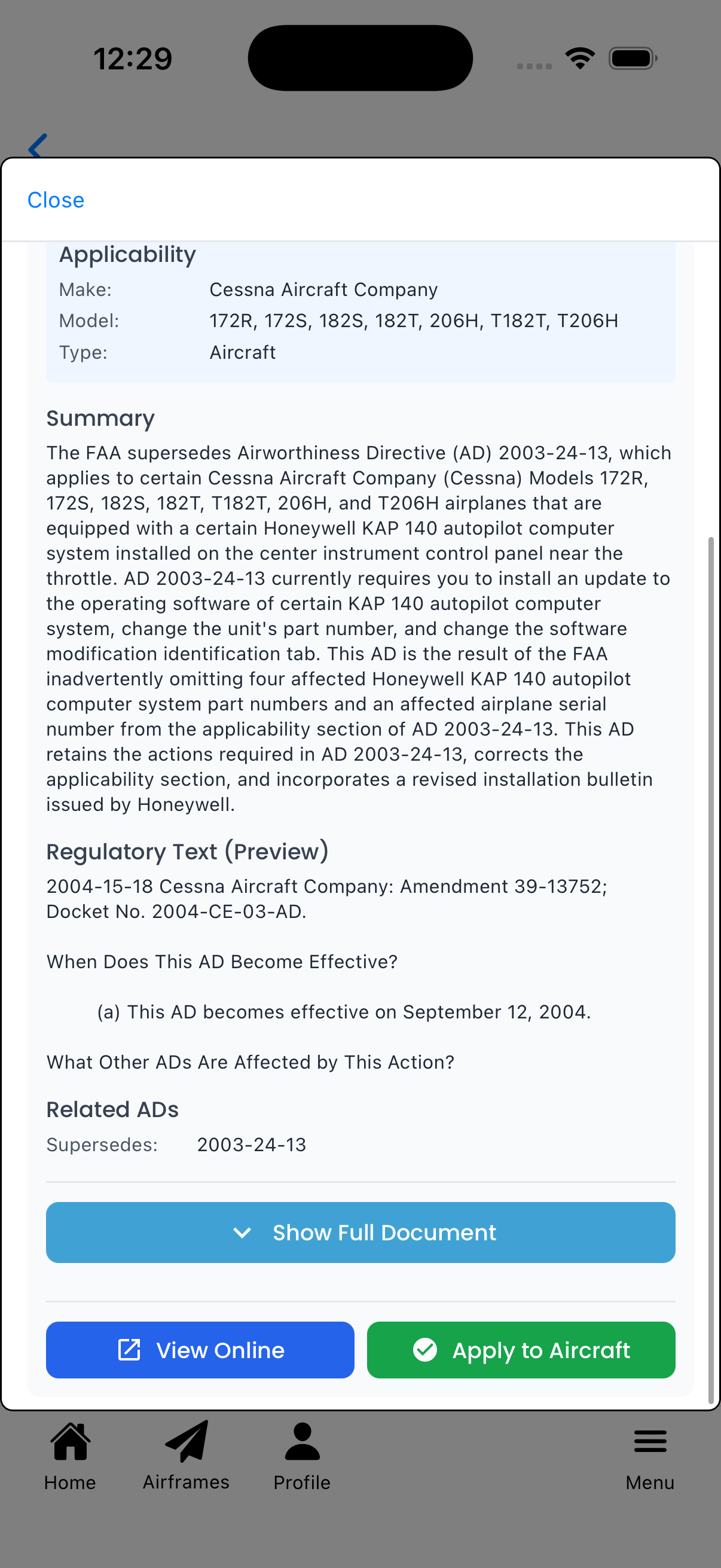
Full AD details with Apply to Aircraft button
Manual Search
Expand the Manual Search section to search the FAA database:
- Title - Search by AD subject
- Docket - Search by FAA docket number
- AD Number - Search by specific AD number (e.g., "2025-09-29-01")
- Make - Aircraft manufacturer (e.g., "Cessna")
- Type Certificate Holder - TC holder name
- Model - Aircraft model (e.g., "172")
Search Tips: Use wildcards (%) for broader results. For example, "%172%" instead of "172" will find all variants.
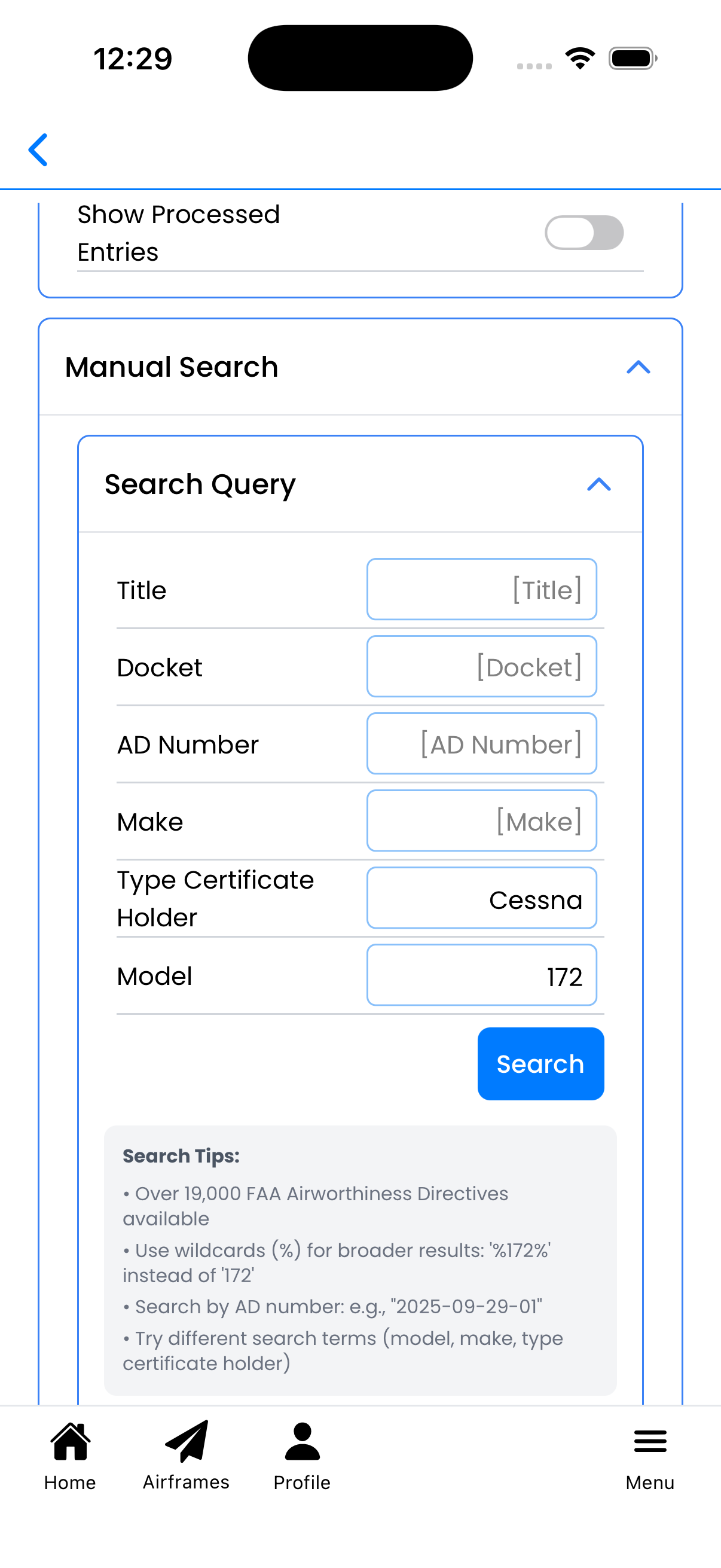
Search FAA database by make, model, or AD number
Search Results
After searching, results appear below the search form:
- Result count - Shows total number of matching ADs
- AD Number - Blue text showing FAA document number
- Title - Brief description of the AD subject
Tap any result to view full details and apply it to your aircraft.
Note: ADs already tracked for your aircraft are automatically filtered from search results.
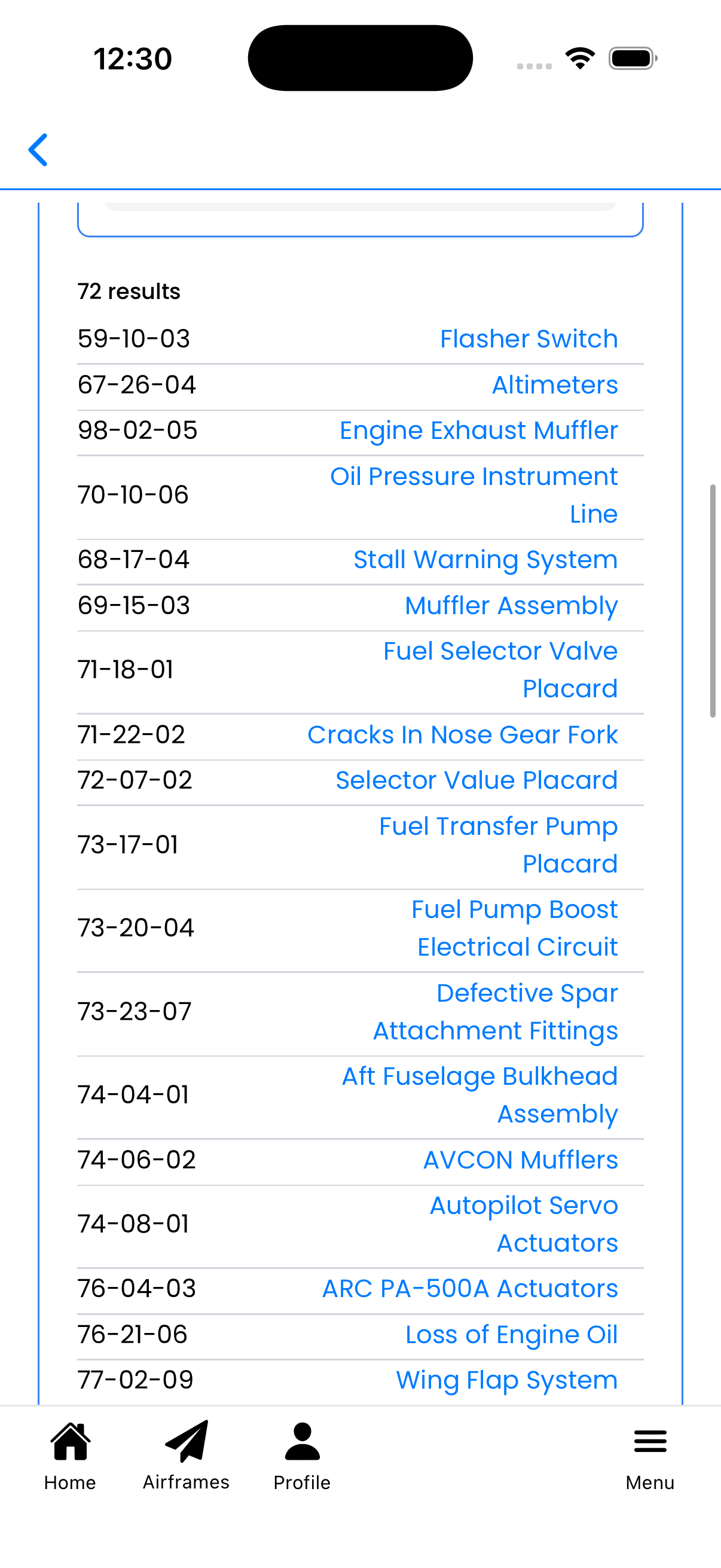
72 results for Cessna 172 search
Applying an AD from Search
When viewing an AD from search results:
- Review the Applicability section to verify it applies to your specific aircraft
- Check the Summary and Regulatory Text for compliance requirements
- View Related ADs for superseded or amended directives
- Tap Apply to Aircraft to add it to your tracking list
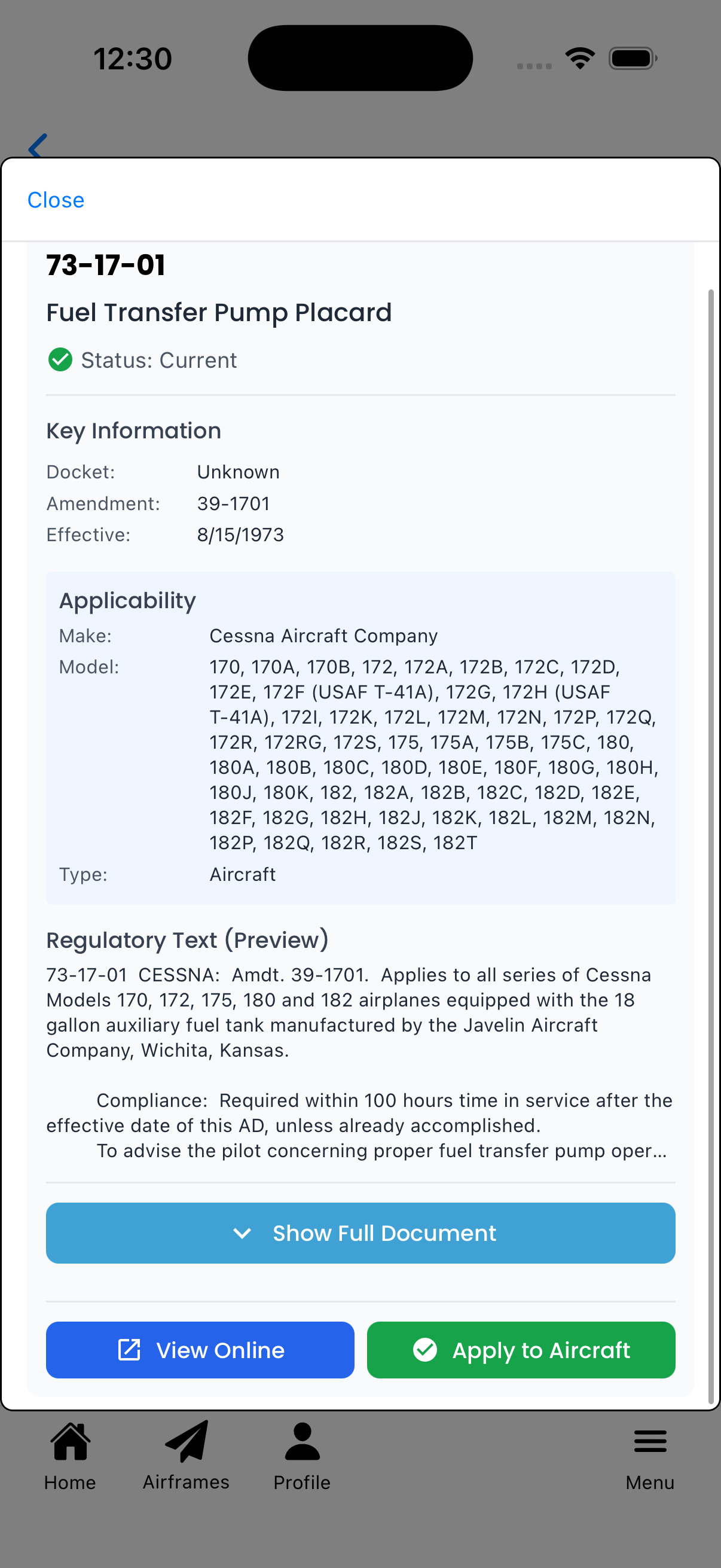
Review AD details before applying to aircraft