Flight History
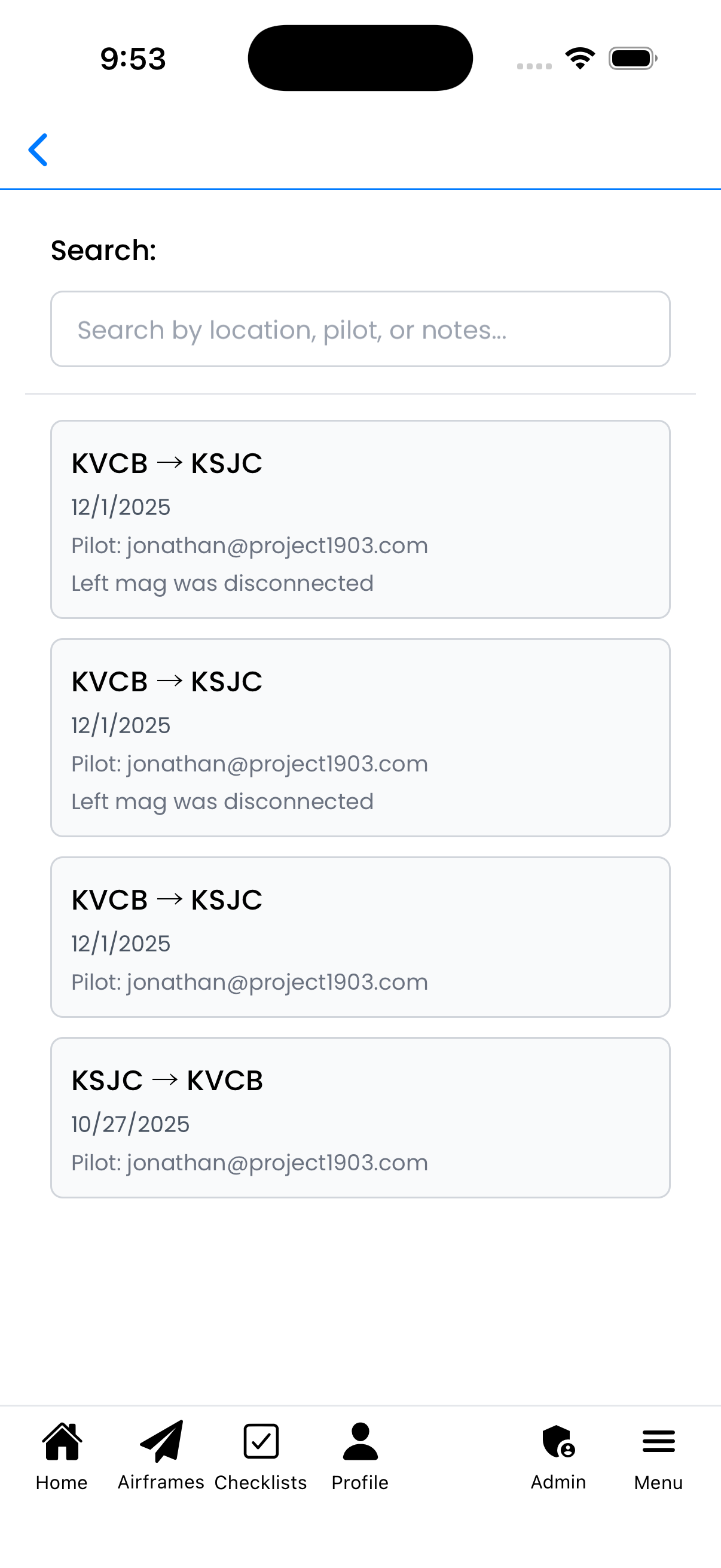
View all logged flights for an aircraft. Search through your flight history,
see flight routes and dates, and tap any entry to view or edit details.
What You Can Do Here
- View all flights - See complete flight history for the aircraft
- Search flights - Find flights by location, pilot, or notes
- View flight details - See route, date, pilot, and notes at a glance
- Edit entries - Tap any flight to open it for editing
Searching Flights
Use the Search field at the top to filter flights:
- Location - Search by airport codes (e.g., "KVCB", "KSJC")
- Pilot - Search by pilot email address
- Notes - Search text within flight notes
Results update as you type, showing only matching flights.
Search by location, pilot, or notes
Flight Cards
Each flight is displayed as a card showing:
- Route - Departure and arrival airports (e.g., "KVCB → KSJC")
- Date - When the flight occurred
- Pilot - Email of the pilot in command
- Notes preview - First line of any notes (if present)
Flights are listed in reverse chronological order with most recent first.
Viewing & Editing a Flight
To view or edit a flight:
- Tap on any flight card in the list
- The Flight Entry screen opens with all details
- Make any changes needed
- Tap Save to update, or Back to cancel
You can also delete flights from the Flight Entry screen by tapping Delete.
How to Access This Screen
You can reach this screen from:
- Aircraft Details - Tap "Flight Log" in the navigation tabs
- Aircraft Setup - Navigate to Flight Log section
Tips
- Quick find - Use search to quickly locate flights by airport code
- Review notes - Notes preview helps you identify flights with specific observations
- Track patterns - Review flight history to see usage patterns over time
- Verify hours - Compare flight dates with maintenance records for accuracy