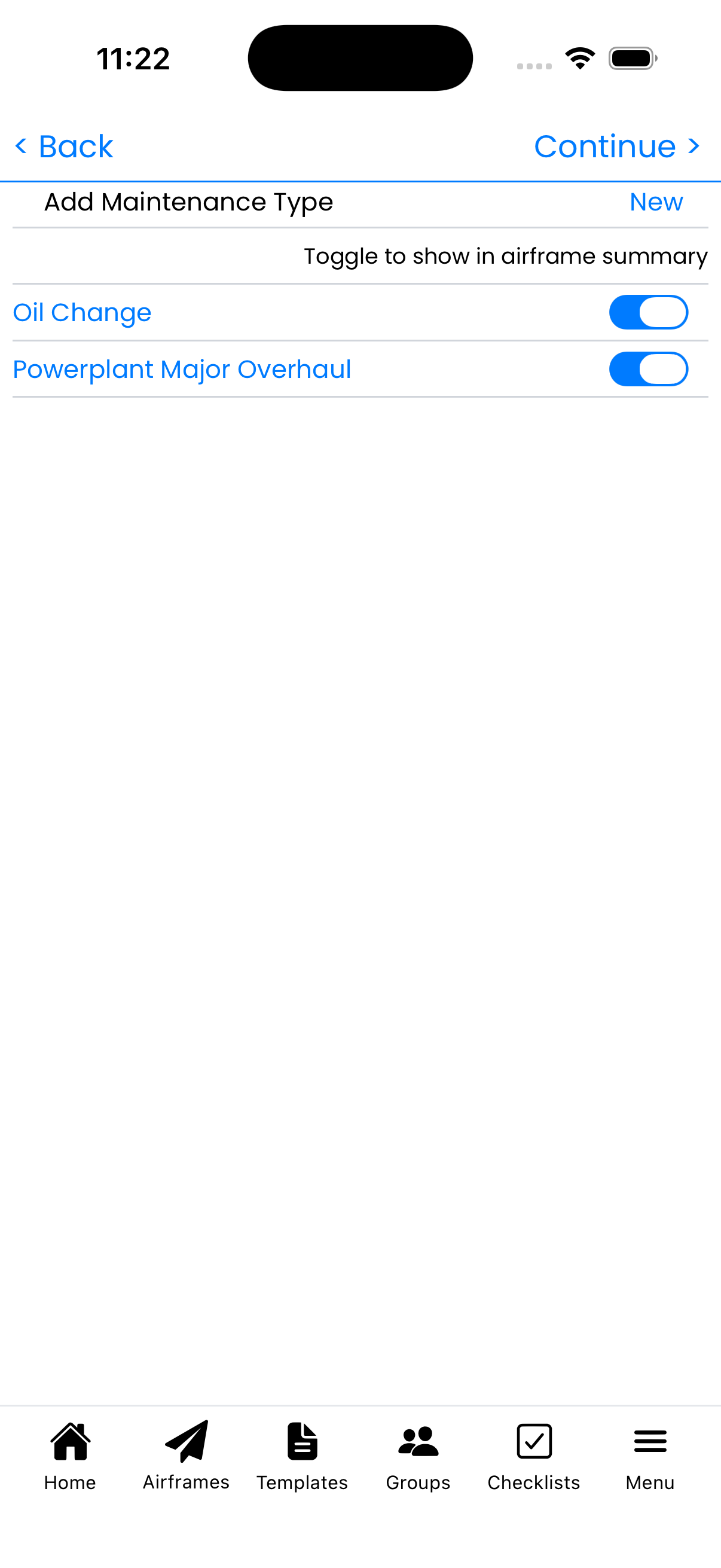
Wizard Step 5: Maintenance Types
Select recurring maintenance items to track. These will appear on your status dashboard and help you stay ahead of scheduled maintenance.
Select Maintenance Types
Toggle on the maintenance items you want to monitor:
- Oil Change - Regular engine oil service
- Powerplant Major Overhaul - Engine TBO tracking
- Prop Overhaul - Propeller TBO (for constant speed)
- Spark Plugs - Spark plug replacement interval
- Magneto Overhaul - Magneto service interval
Recommended Tracking
At minimum, most aircraft owners should track:
- Oil Change - Essential for engine health monitoring
- Powerplant Major Overhaul - Know when TBO is approaching
These items affect aircraft status indicators on your dashboard.
Creating Custom Types
Tap New to create custom maintenance types for:
- Filter changes (oil, fuel, air)
- Battery replacement
- Tire replacement
- Any recurring service unique to your aircraft
Completing the Wizard
After selecting maintenance types:
- Tap Create Aircraft to finish setup
- Your aircraft will be added to your list
- Status will show "Undetermined" until you log first compliance
Next steps after creation:
- Log inspection compliance to establish baselines
- Add applicable ADs from your library
- Upload documents and photos
- Start logging flights and maintenance
Tips
- Oil Change tracking is highly recommended for all aircraft
- You can add more maintenance types later from Aircraft Setup
- Each enabled type will show on your aircraft status display
- Don't worry about "Undetermined" status - it clears after first entry